
Best UPS for Smart Homes: Keep Your Network and Hubs Running
A smart home can lose much of its intelligence when the electricity fails. The right UPS protects the network and automation controllers that make your connected devices work together—even when you cannot back up the entire house.
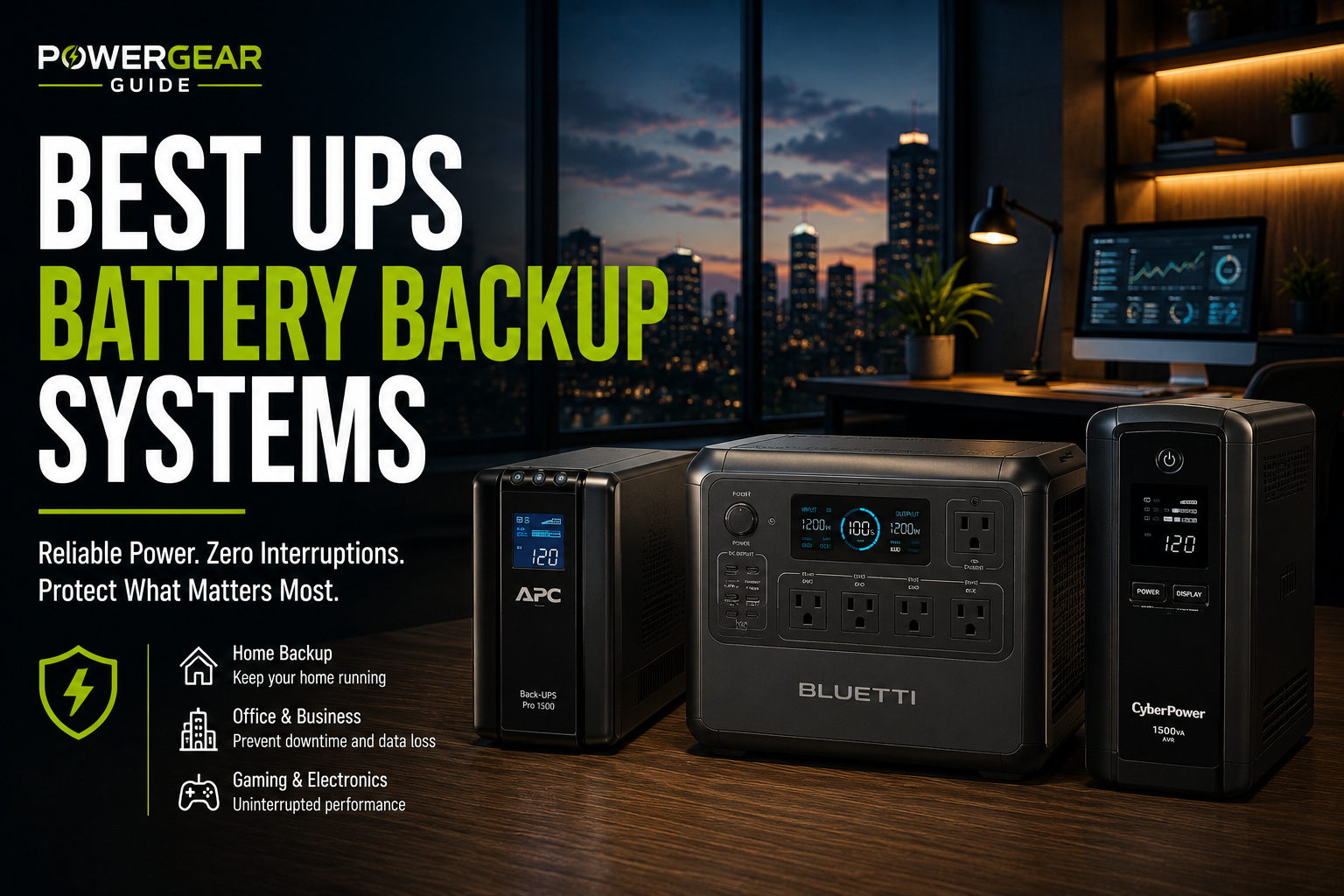
Quick answer: The APC BR1500MS2 is a strong general-purpose choice for a home network and automation equipment. The CyberPower CP1500PFCLCD is particularly attractive when you need more wattage headroom. The Eaton 5S1500LCD is worth considering for a quieter network closet, while the APC Smart-UPS SMT1500C and SMT1500RM2UC suit more demanding managed systems and racks.
But buying the biggest UPS is not always the right answer. Many smart homes can maintain their essential local network and automation services with a relatively modest electrical load. The more important decision is which equipment must stay powered and how long it needs to run.
Our Smart-Home UPS Recommendations
Best overall: APC BR1500MS2. A 1500VA/900W line-interactive UPS with sine-wave battery output, AVR and ten outlets. A well-rounded choice for a router, ONT, network switch, smart-home controller and related equipment.
Best higher-wattage value: CyberPower CP1500PFCLCD. Its 1500VA/1000W rating and twelve outlets make it useful for larger mixed networking and computing loads.
Best for a quiet closet: Eaton 5S1500LCD. A 1500VA/900W model with a manufacturer-published noise specification below 25dB at one meter.
Best managed tower: APC Smart-UPS SMT1500C. A business-oriented UPS with SmartConnect monitoring, suitable for more demanding controller, networking and NAS installations.
Best rackmount option: APC Smart-UPS SMT1500RM2UC. A 2U UPS for structured network cabinets and home-lab installations.
APC BR1500MS2
Sine-wave battery output · 10 total outlets
A practical choice for a typical smart-home network and automation controller stack.
Check PriceCyberPower CP1500PFCLCD
Sine wave · 12 total outlets
Useful when a PoE switch, NAS or other equipment increases the protected load.
Check PriceEaton 5S1500LCD
Line-interactive · 10 total outlets
A slim tower with a published low-noise specification for offices and equipment closets.
Check PriceAPC SMT1500C
Smart-UPS · SmartConnect
A stronger fit for managed infrastructure and users who value remote UPS status monitoring.
Check PriceAPC SMT1500RM2UC
2U rackmount · SmartConnect
Designed for organized racks containing networking, storage and automation infrastructure.
Check PriceBest UPS for Smart Homes: Quick Comparison
These models use conventional UPS battery systems, not the large LiFePO4 batteries found in many portable power stations. Their primary purpose is to bridge interruptions and support controlled shutdown, not necessarily to run an entire smart home for hours.
| UPS Model | Capacity | Form | Main Advantage | Best For |
|---|---|---|---|---|
| APC BR1500MS2 | 1500VA / 900W | Tower | Sine wave, AVR, replaceable battery | General smart-home network |
| CyberPower CP1500PFCLCD | 1500VA / 1000W | Mini-tower | Higher watt capacity, 12 outlets | PoE, NAS, mixed electronics |
| Eaton 5S1500LCD | 1500VA / 900W | Slim tower | Published low-noise rating | Quiet network closet |
| APC SMT1500C | 1500VA / 1000W | Tower | Business-oriented monitoring | Managed infrastructure |
| APC SMT1500RM2UC | 1440VA / 1000W | 2U rack | Rack installation and monitoring | Home labs and network racks |
Detailed Smart-Home UPS Reviews
APC Back-UPS Pro BR1500MS2
The APC BR1500MS2 is a sensible all-around choice for a typical smart home. Its 1500VA/900W rating gives ample power headroom for most router, modem, hub and small-switch combinations, while automatic voltage regulation helps correct certain utility voltage fluctuations without immediately using the battery.
APC specifies ten total NEMA 5-15R outlets, an LCD, USB-A and USB-C charging ports, and a user-replaceable battery. The battery-backup outlets should be reserved for devices that must remain operational when the utility supply fails.
Its sine-wave output is an advantage when protecting a mixture of modern power supplies. Still, the exact load and startup behavior should be checked rather than assuming every device is automatically compatible.
- 1500VA/900W rating.
- Sine-wave battery output.
- Automatic voltage regulation.
- Ten total outlets.
- Replaceable battery.
- Only some outlets provide battery backup.
- Bulky for a small network shelf.
- Not a zero-transfer online UPS.
- Battery replacement is an ongoing ownership cost.
Choose it if: You want one conventional UPS for your modem or ONT, router, smart-home hub and several supporting devices.
Avoid it if: You need a rackmount unit or extended runtime that requires a dedicated external-battery system.
CyberPower CP1500PFCLCD
CyberPower's CP1500PFCLCD offers 1500VA and 1000W continuous output. That additional wattage headroom can matter when your smart-home infrastructure includes a PoE switch, several powered access points, a NAS or a small computer running Home Assistant.
Its twelve outlets are divided into six battery-and-surge outlets and six surge-only outlets. CyberPower lists sine-wave battery output, line-interactive topology, automatic voltage regulation, an LCD and USB communication.
The manufacturer publishes approximately ten minutes of runtime at half load and 2.5 minutes at full load under specified conditions. Those figures demonstrate why a 1000W rating should not be mistaken for long-duration backup at 1000W.
- 1500VA/1000W rating.
- Sine-wave output.
- Twelve total outlets.
- USB communication and management software.
- Published load-based runtime data.
- Only six outlets are battery backed.
- Runtime falls rapidly at high loads.
- Large for a compact network cabinet.
- Not a zero-transfer UPS.
Choose it if: Your network includes higher-demand equipment and you want a well-documented 1000W consumer UPS.
Avoid it if: You primarily need many hours of low-wattage backup and have no need for its larger inverter rating.
Eaton 5S1500LCD
Eaton's 5S1500LCD is a 1500VA/900W line-interactive UPS with ten NEMA 5-15R outlets. Its slim enclosure is useful where floor or shelf space is constrained.
Eaton specifies a noise level below 25dB at one meter under its published measurement conditions. That makes it worth investigating for a home office or equipment closet where everyday UPS noise matters.
The model includes USB HID communication and Eaton's battery-management system. However, a low published noise rating does not mean the UPS is silent during every charging, battery or alarm condition.
Before purchasing it for equipment with strict waveform requirements, consult the exact manufacturer's output waveform documentation. Its line-interactive topology alone does not establish that it provides the same on-battery waveform as the sine-wave models above.
- 1500VA/900W output rating.
- Slim tower design.
- Published noise specification below 25dB.
- Ten total outlets.
- USB HID communication.
- Waveform compatibility requires model-specific review.
- Not rackmount.
- Still a relatively heavy UPS.
- Low-noise specification is not a guarantee of silence.
Choose it if: You want a slim, relatively quiet UPS for standard networking equipment.
Avoid it if: Your equipment specifically requires a documented sine-wave battery output and you cannot confirm suitability.
APC Smart-UPS SMT1500C
For a smart home built around a dedicated server, NAS, managed switch and automation controller, the APC SMT1500C offers a more infrastructure-oriented approach than a basic consumer UPS.
It provides 1500VA/1000W output and SmartConnect capability for supported monitoring functions. Its sine-wave output, battery management and replaceable battery system are useful for users who want more visibility into the UPS protecting their core equipment.
Monitoring is not the same as automatic shutdown. Confirm the required software, supported operating systems, network accessories and any service-plan requirements for the exact workflow you intend to use.
- 1500VA/1000W rating.
- Sine-wave output.
- SmartConnect monitoring capability.
- Business-oriented battery and management ecosystem.
- Suitable for more structured infrastructure.
- Higher purchase cost than typical consumer UPS units.
- Heavier and larger.
- Advanced monitoring features may require additional configuration.
- Not necessary for a simple router-and-hub setup.
Choose it if: You operate a substantial home network or home automation server and value managed UPS functionality.
Avoid it if: You only need to keep a low-power router and hub online.
APC Smart-UPS SMT1500RM2UC
The SMT1500RM2UC is the most appropriate option in this shortlist when your smart-home infrastructure lives in a rack. It is a 2U line-interactive Smart-UPS rated at 1440VA/1000W with six NEMA 5-15R outlets.
Its rackmount form factor allows the UPS to sit alongside network switches, patch panels, storage and automation hardware. SmartConnect and SmartSlot capability provide monitoring and management possibilities, depending on configuration.
For rack installations, pay attention to physical depth, weight, ventilation, rail compatibility and how battery replacement will be performed. A 2U label alone does not guarantee that the UPS fits every wall-mounted network cabinet.
- 1440VA/1000W rating.
- 2U rackmount format.
- Sine-wave output.
- SmartConnect and SmartSlot capability.
- Useful for structured network installations.
- Substantial weight and installation depth.
- Higher cost.
- Rack and mounting requirements.
- Overkill for a small standalone smart-home hub.
Choose it if: You have a suitable equipment rack containing networking and automation hardware.
Avoid it if: You need a simple UPS on a desk, shelf or closet floor.
How to Design Smart-Home Battery Backup
The smartest UPS purchase starts with identifying the equipment that forms the control and communications backbone of your home. Backing up nonessential connected devices first wastes battery capacity and may leave critical services offline.
Internet & Network
Protect the ONT or modem, router, and any switch or access point needed to connect the rest of the system.
Automation Controller
Protect your Home Assistant host, Hubitat hub, SmartThings hub or other local controller, along with necessary Zigbee, Z-Wave or lighting bridges.
Essential Security
Protect the relevant alarm communicator, recorder, network switch and selected PoE cameras where supported and appropriate.
Example: A Small Smart-Home Setup
A home with a fiber ONT, router, small switch, local automation controller and Zigbee bridge may consume only a few dozen watts, depending on the hardware.
In that situation, a large 1500VA UPS may be chosen for outlet count, replaceable batteries or future expansion—not because the current equipment draws hundreds of watts.
Example: A Larger Smart Home
A more elaborate system might include a PoE switch supplying several cameras and access points, a NAS, an NVR and a computer running local automation. That can increase the protected load considerably.
In this case, measure the actual switch's total PoE consumption and include the equipment's own power demand. Do not confuse a switch's maximum PoE budget with the power it consumes continuously.
Should You Use One UPS or Two?
One UPS can simplify maintenance when all the critical devices are physically close together. Separate UPS units may be more practical when the network core is in one location and security or automation equipment is elsewhere.
A separate UPS also prevents a high-draw device from consuming the entire runtime budget intended for essential network communications.
How Long Will a UPS Run Your Smart Home?
The most common mistake is using the UPS's VA rating as a runtime estimate. A 1500VA UPS is not a 1500Wh battery, and it will not necessarily run a 150W network load for ten hours.
VA describes apparent power capacity. Watts describe real power. Watt-hours describe energy. Runtime depends on the UPS's internal battery, inverter losses, the actual load and battery condition.
Illustrative Smart-Home Loads
| Device | Example Average Power | Why It Matters |
|---|---|---|
| Fiber ONT or modem | 10W | Internet connection endpoint |
| Router | 12W | Local networking and routing |
| Small network switch | 8W | Wired network connectivity |
| Smart-home controller | 8W | Automation logic |
| Zigbee or lighting bridge | 4W | Radio and device communication |
| Illustrative total | 42W | Actual hardware must be measured |
The numbers above are illustrative assumptions, not measurements or universal device specifications. A real installation may draw substantially more, especially with PoE cameras, network storage or multiple wireless access points.
Why We Do Not Promise a Specific Runtime
Even UPS units with similar VA and watt ratings can have different internal battery capacities and discharge behavior. Battery age, temperature and load also affect runtime.
For example, CyberPower publishes ten minutes at half load and 2.5 minutes at full load for the CP1500PFCLCD. Those are manufacturer ratings under defined conditions, not predictions for a 42W smart-home load.
For a meaningful comparison, locate the official runtime curve and check the estimated duration at your measured load. If your load is below the chart's lowest listed point, ask the manufacturer for guidance rather than extrapolating an exact runtime.
What to Look for in a Smart-Home UPS
1. Enough Battery-Backed Outlets
Count the power adapters for the ONT, router, switches, hubs and bridges. Large wall adapters can block neighboring sockets, so physical spacing matters as much as the total number of outlets.
2. Sufficient Wattage and VA Headroom
Choose a UPS whose continuous watt and VA limits exceed the combined equipment requirements. Allow appropriate headroom for startup behavior and future additions without assuming that maximum nameplate power equals everyday consumption.
3. Correct Output Waveform
Sine-wave battery output is a useful feature for a mixed collection of power supplies, especially computers and equipment with active power-factor correction. For unusual or sensitive devices, verify the manufacturer's compatibility requirements.
4. Automatic Voltage Regulation
AVR can correct certain low- and high-voltage conditions without immediately switching to battery power. This is useful in locations with frequent voltage fluctuations, although it does not replace proper surge protection or electrical maintenance.
5. USB Communication and Shutdown Support
If your automation controller runs on a small computer, server or NAS, consider whether the UPS supports USB HID or another communication method compatible with your operating system and shutdown software.
A UPS that merely supplies power cannot automatically save work or shut down a host. The operating system, driver or monitoring service must be configured and tested.
6. Battery Replacement and Maintenance
Confirm the correct replacement battery part, expected service procedure and availability. Replacement-battery support can be more important over several years than an extra USB charging port.
7. Physical Space and Noise
UPS units need suitable ventilation. Measure the available shelf, cabinet or rack depth and check the model's operating-temperature and airflow requirements.
Do not place a UPS in a sealed, unventilated enclosure or assume that a quiet specification guarantees silent battery operation.
What Actually Happens to a Smart Home During an Outage?
Different smart-home functions fail in different ways. Understanding these dependencies is often more useful than buying a larger UPS.
| Function | What Must Remain Powered? | Important Limitation |
|---|---|---|
| Local automations | Controller, required network and radio bridges | Cloud-dependent rules may still fail. |
| Wi-Fi connectivity | Router, switches and relevant access points | Connected devices also need power. |
| Internet access | ONT/modem, router and local network | ISP infrastructure may be offline. |
| PoE security cameras | PoE switch, network and recording equipment | Camera and switch power requirements vary. |
| Local video recording | Cameras, PoE equipment, NVR/NAS and network | Storage shutdown behavior matters. |
| Smart lighting | Controller plus power to lighting circuits | A hub UPS does not power house lights. |
| Voice assistants | Powered speaker, network and sometimes cloud services | Many voice functions need internet access. |
Test Your Smart Home Without Internet
Before relying on your backup design, test which automations continue to function when the internet is unavailable. This is different from cutting the utility power.
Local automation systems can be resilient, but individual integrations may depend on cloud authentication, vendor servers or internet connectivity. A UPS cannot solve those software dependencies.
Test Your Smart Home on Battery
Follow the UPS manufacturer's approved test procedure to verify transfer to battery power, confirm that the correct outlets remain active and check that connected controllers recover normally.
Also test any configured low-battery shutdown procedure for your NAS or automation computer. A UPS with a healthy battery but an unconfigured shutdown path may still permit data corruption when the battery is exhausted.
Common Smart-Home UPS Mistakes
- Buying by VA rating alone. VA is not battery energy, and it does not tell you how many hours your equipment will run.
- Connecting essential devices to surge-only outlets. Those outlets may turn off immediately during an outage.
- Forgetting the ONT. A powered router may still lose its internet connection if the fiber terminal or modem has no backup.
- Ignoring PoE consumption. Cameras and access points can substantially increase UPS load.
- Assuming all automations are local. Cloud-dependent integrations may fail despite continuous local power.
- Skipping battery maintenance. An aging UPS battery may provide far less runtime than expected.
- Expecting a UPS to power household circuits. Ordinary plug-in UPS systems are not replacements for properly installed home-backup electrical systems.
Frequently Asked Questions
What is the best UPS for a smart home?
For a general smart-home network, the APC BR1500MS2 is a strong choice. CyberPower CP1500PFCLCD is useful when higher wattage headroom matters. Eaton 5S1500LCD suits quieter installations, while APC Smart-UPS models are more appropriate for managed equipment and racks.
Should I put my router and modem on a UPS?
Yes, if maintaining local networking or internet connectivity during brief outages is important. Protect the ONT or modem, router and any necessary switch or wireless access point.
Will a UPS keep Home Assistant running?
A compatible UPS can keep the Home Assistant host and required networking equipment powered within its runtime limits. Whether automations continue also depends on the availability of connected devices, local radios and any cloud services.
Do I need a 1500VA UPS for a smart-home hub?
Not necessarily. A hub and router may have a relatively low combined power requirement. A smaller UPS can be sufficient if its runtime, wattage, VA rating and battery-backed outlet count meet your needs.
Can a UPS power PoE security cameras?
Yes, when the PoE switch and supporting network equipment are connected to battery-backed outlets and the UPS is sized for the actual electrical load. The cameras must be powered through the backed-up system.
How long will a 1500VA UPS power a router?
There is no universal runtime. It depends on the UPS battery, the router and other connected equipment, battery condition and conversion losses. Use the manufacturer's runtime curve at your measured load.
Will my smart home work without internet during a power outage?
Some local automations may continue if the controller, required radios and network equipment remain powered. Cloud-based automations, voice services and remote access may stop working if internet connectivity is unavailable.
Is a portable power station better than a UPS?
A portable power station may offer much more stored energy, but it is not automatically a substitute for a dedicated UPS. Transfer time, pass-through operation, output compatibility and shutdown signaling must be verified for the exact equipment.
Should I connect my NAS to the same UPS as my router?
That can work if the UPS has enough capacity and suitable communication support. However, a NAS may increase the load significantly. Separate backup arrangements can help preserve network runtime and simplify controlled shutdown.
Sources and Editorial Methodology
Recommendations are based on manufacturer-published electrical ratings, UPS topology, outlet configuration, waveform, monitoring capabilities, battery serviceability and suitability for common smart-home network designs. This is specification-based editorial analysis, not a claim of hands-on testing.
- Schneider Electric — APC BR1500MS2 Product Specifications
- CyberPower — CP1500PFCLCD Specifications and Runtime Data
- Eaton — 5S1500LCD Product Specifications
- Schneider Electric — APC SMT1500C Specifications
- Schneider Electric — APC SMT1500RM2UC Specifications
How we selected the models: We retained the original article's five UPS candidates and evaluated their distinct roles: general home networking, higher-wattage loads, quieter installation, managed tower systems and rackmount infrastructure.
Runtime approach: We avoid converting VA ratings directly into hours of backup. Actual runtime should be checked against manufacturer data for the measured load, with allowance for battery aging and operating conditions.
Purchase considerations: Product revisions, availability, replacement-battery compatibility, included management features and warranty terms can change. Confirm the exact model and current manufacturer documentation before purchasing.
Final Verdict: Protect the Smart-Home Backbone First
For most households, the APC BR1500MS2 offers a sensible balance of features. The CyberPower CP1500PFCLCD adds wattage headroom, while the Eaton 5S1500LCD is worth considering when low noise matters.
For managed networks, NAS equipment and home labs, the APC SMT1500C and SMT1500RM2UC provide more infrastructure-focused options.
The most important decision is not which UPS has the biggest number on the box. It is whether your ONT, router, switches, controllers and essential bridges remain powered long enough to meet your outage plan.
Compare Current Options