
Best UPS for Routers and Modems: 5 Reliable Backup Options
Keep your Wi-Fi router, cable modem or fiber ONT powered during an outage with the right uninterruptible power supply. We compare five UPS systems, explain their practical differences and show how to plan for realistic internet backup runtime.
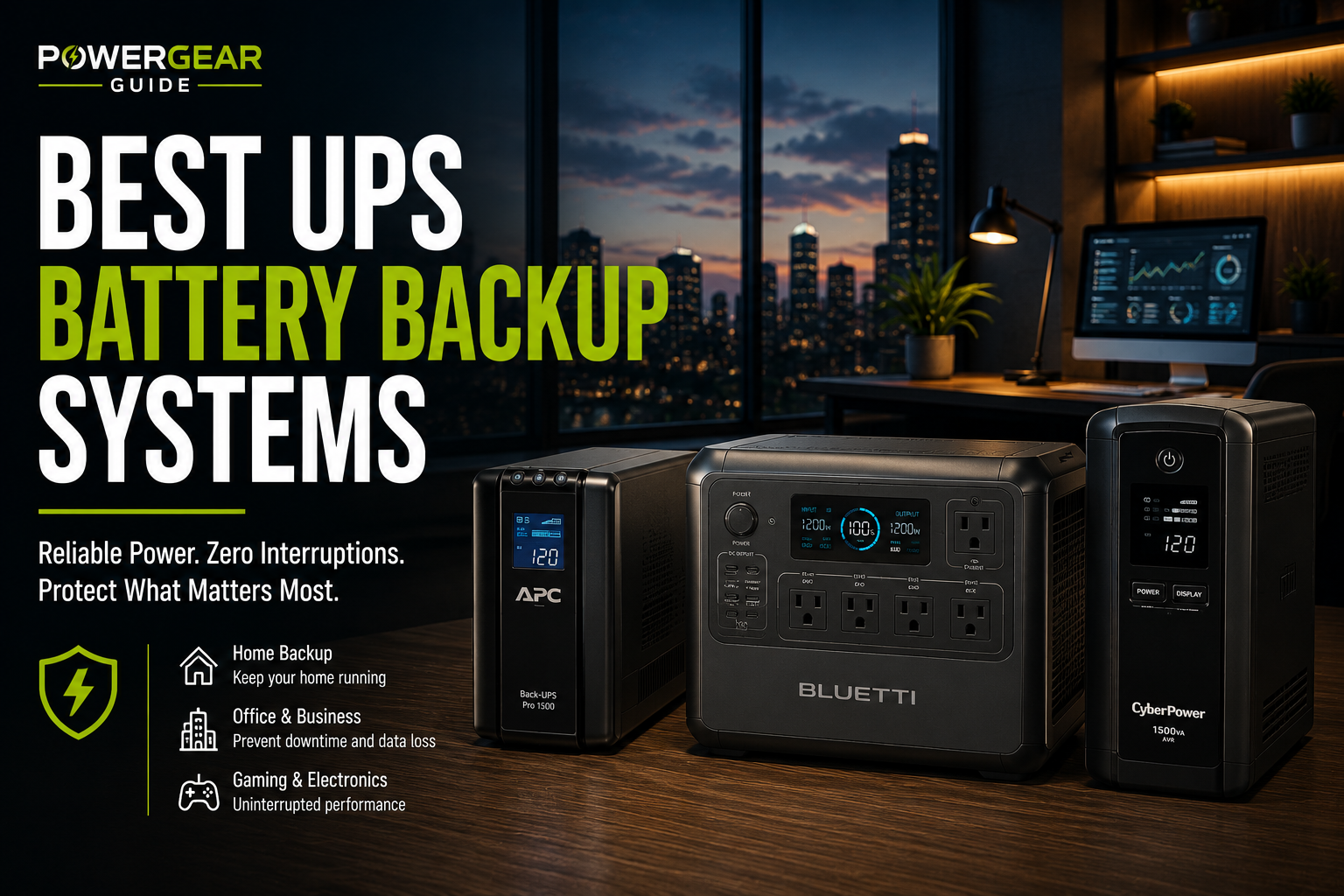
Quick answer: The APC BE600M1 is a practical starting point for a basic router-and-modem setup. The CyberPower CP900AVR adds automatic voltage regulation for a more extensive network. If you also need computer backup, consider a larger sine-wave model such as the APC BR1500MS2 or CyberPower CP1500PFCLCD.
Our Top UPS Recommendations
Best compact choice — APC BE600M1: A 600VA/330W UPS suited to basic networking equipment. Five battery-backed outlets provide connections for multiple essential devices.
Best network upgrade — CyberPower CP900AVR: A 900VA/560W line-interactive UPS with AVR and five battery-backed outlets.
Best quiet office option — Eaton 5S1500LCD: A 1500VA/900W UPS with AVR, LCD monitoring and a manufacturer noise specification below 25 dB at one meter.
Best home-office combination — APC BR1500MS2: A 1500VA/900W sine-wave UPS with six battery-backed outlets, AVR and LCD monitoring.
Best higher-power combination — CyberPower CP1500PFCLCD: A 1500VA/1000W sine-wave model suited to networking equipment plus more demanding computers.
Which Networking Devices Actually Need Backup?
Keeping a router powered is not enough if another essential part of the internet connection shuts off. Before buying a UPS, identify the devices that provide the complete connection.
Modem and Router
Both devices need backup power if they are separate. A combined cable gateway may require only one battery-backed outlet.
ONT and Router
The optical network terminal converts the fiber connection. If the ONT loses power, the router may stay on but lose internet access.
Main Mesh Node
The primary mesh node and upstream equipment need power. Additional nodes may also need backup if coverage throughout the home is essential.
Ethernet or PoE Switch
If your network relies on a switch or PoE equipment, include its consumption in the UPS power budget.
Best UPS for Routers and Modems Compared
| UPS Model | Output Rating | Topology | Battery Outlets | Recommended Use |
|---|---|---|---|---|
| APC BE600M1 | 600VA / 330W | Standby | 5 | Basic router and modem |
| CyberPower CP900AVR | 900VA / 560W | Line-interactive | 5 | Network with multiple devices |
| Eaton 5S1500LCD | 1500VA / 900W | Line-interactive | Verify outlet groups | Quiet office networking |
| APC BR1500MS2 | 1500VA / 900W | Line-interactive | 6 | Home office plus network |
| CyberPower CP1500PFCLCD | 1500VA / 1000W | Line-interactive | 6 | Network and demanding PC |
VA and watt ratings describe maximum supported output, not stored battery energy. Confirm the exact model's battery-backed outlet configuration and runtime specifications before purchase.
Detailed UPS Reviews
1. APC Back-UPS BE600M1
A straightforward UPS for basic home internet equipment.
The APC BE600M1 is a sensible choice when the goal is simply to keep a modem and router operating during short power interruptions.
Its 330W output rating is substantially above the typical demand of a basic network. It has five battery-backed outlets and two surge-only outlets, allowing several essential devices to remain powered.
The unit uses standby topology and a stepped approximation to a sine wave while on battery. It does not provide automatic voltage regulation. For ordinary low-power network adapters, this category is often sufficient, but check equipment compatibility.
The main reason to choose it is simplicity. It avoids the size and cost of a large UPS when your network does not require hundreds of watts of output.
- Compact design
- Five battery-backed outlets
- Suitable output for basic networks
- Simple installation
- No automatic voltage regulation
- Stepped battery waveform
- Less useful for demanding computers
- Runtime varies with battery condition
Buy it for: A router, modem and possibly a small ONT. Choose another model if: You need AVR or substantial computer backup.
Check Price2. CyberPower CP900AVR
Additional capacity and automatic voltage regulation.
The CyberPower CP900AVR offers a useful middle ground between compact standby units and larger 1500VA models.
Its automatic voltage regulation can correct certain voltage fluctuations without immediately switching to battery power. This is useful where brownouts or minor voltage variations occur.
CyberPower specifies 900VA/560W output, ten total outlets, five battery-backed outlets and simulated sine-wave output while operating on battery.
It is particularly suitable when your internet connection depends on several devices, such as a modem, router, fiber ONT and Ethernet switch.
- Automatic voltage regulation
- Five battery-backed outlets
- Useful for multi-device networks
- User-replaceable battery
- Simulated sine-wave output
- Only five outlets supply battery power
- Larger than compact standby models
- Runtime must be checked at your load
Buy it for: A network stack requiring AVR. Choose another model if: You only need backup for one small device.
Check Price3. Eaton 5S1500LCD
A narrow line-interactive UPS with LCD monitoring.
The Eaton 5S1500LCD is worth considering for a shared office or networking space where operating noise matters.
Eaton specifies noise below 25 dB at one meter, along with 1500VA/900W output, automatic voltage regulation and LCD monitoring.
Its slim tower format can be convenient beside a desk or equipment cabinet. USB HID communication also makes it useful when a compatible computer shares the UPS.
For router-only backup, however, this model may be unnecessarily large. Its higher output rating does not guarantee longer runtime at a low networking load.
- Low published noise specification
- Automatic voltage regulation
- LCD monitoring
- 1500VA/900W capacity
- Oversized for many basic networks
- Higher initial cost
- Heavier than compact UPS models
- Verify exact battery outlet grouping
Buy it for: Office networking where quiet operation, AVR and monitoring are valuable. Choose another model if: You need only a small router backup.
Check Price4. APC Back-UPS Pro BR1500MS2
Sine-wave backup for networking and computer equipment.
The APC BR1500MS2 is a stronger choice when you want to protect both internet equipment and a home-office workstation.
It offers sine-wave battery output, automatic voltage regulation, an LCD and ten AC outlets, six of which provide battery backup.
Its replaceable battery is also useful for long-term ownership.
The main consideration is shared load. A desktop computer and monitor can consume many times more power than a modem and router. If everything uses one UPS, the available internet runtime may be much shorter.
- Sine-wave battery output
- Automatic voltage regulation
- Six battery-backed outlets
- LCD and replaceable battery
- Larger than router-only options
- Four outlets are surge-only
- Computer loads shorten runtime
- Not designed for multi-day outages
Buy it for: A home office with networking equipment and a compatible desktop system. Choose another model if: Internet runtime is your only priority.
Check Price5. CyberPower CP1500PFCLCD
Pure sine-wave protection for networking and demanding PCs.
The CyberPower CP1500PFCLCD is intended for equipment that benefits from pure sine-wave backup, including computers with active power-factor- correction power supplies.
It provides 1500VA/1000W capacity, line-interactive operation, automatic voltage regulation and twelve AC outlets.
Six outlets provide battery backup and surge protection; the remaining six provide surge protection only.
This is a capable mixed-use UPS, but its high wattage rating offers little advantage when the only connected equipment is a low-power router and modem.
- 1000W output capacity
- Pure sine-wave output
- Automatic voltage regulation
- LCD and monitoring support
- Oversized for basic networking
- Only six outlets have battery backup
- Higher-power loads reduce runtime
- Requires more installation space
Buy it for: Networking equipment combined with a more demanding computer system. Choose another model if: You only need backup for a modem and router.
Check PriceHow Long Will a UPS Run Your Router and Modem?
Runtime depends on the connected electrical load, battery capacity, UPS efficiency, battery age and operating conditions.
The most reliable approach is to determine your equipment's power consumption and compare it with the manufacturer's runtime chart at a similar load.
Example Network Power Requirements
| Equipment | Illustrative Load | Importance |
|---|---|---|
| Wi-Fi router | 8–20W | Essential |
| Cable modem | 5–15W | Essential for cable internet |
| Fiber ONT | 5–15W | Essential for fiber internet |
| Small Ethernet switch | 3–15W excluding significant PoE loads | Depends on network design |
| Additional mesh node | 5–15W | Depends on required coverage |
These are illustrative planning ranges, not verified measurements for every device. Check actual specifications or use a compatible plug-in power meter.
Example: A 25W Home Network
Suppose your modem uses 10W and your router uses 15W.
Energy delivered over four hours: 25W × 4 hours = 100Wh.
Illustrative battery energy requirement: At an assumed 75% overall usable efficiency, approximately 133Wh of nominal stored energy would be required.
That calculation is an illustration, not a guaranteed UPS runtime. Real-world performance depends on battery chemistry, discharge rate, inverter overhead and other factors.
What Shortens UPS Runtime?
Battery Age
Sealed lead-acid batteries lose capacity with age and use. An older battery may provide substantially less runtime.
UPS Overhead
The UPS itself consumes power. This matters particularly when the connected load is very small.
Additional Equipment
Monitors, computers, PoE switches and other connected devices increase battery demand.
Temperature
Excessive heat can reduce battery service life. Follow the manufacturer's environmental requirements.
Should You Use One UPS for Everything?
If internet uptime is the priority, a dedicated UPS for networking equipment often makes more sense than connecting a desktop computer, monitor, modem and router to one battery.
Best for Internet Continuity
- Only essential networking devices use battery power.
- Runtime is easier to plan.
- Computer shutdown does not necessarily stop the network.
- A smaller UPS may be sufficient.
Best for Short Workstation Backup
- One UPS supports multiple devices.
- Useful for saving work during an outage.
- Computer loads may reduce internet runtime.
- A larger output rating may be necessary.
Neither approach is universally better. The correct choice depends on whether your priority is protecting computer work, maintaining internet access or both.
AC UPS vs. Mini DC UPS for Routers
Many routers use external DC power adapters. A compatible DC battery backup can sometimes supply power more efficiently by avoiding repeated AC-to-DC conversion.
However, DC backup systems require careful compatibility checks. You must verify the exact voltage, current rating, connector size, polarity and switchover behavior.
A conventional AC UPS is generally simpler when you need to back up several devices that use different power adapters.
How to Set Up Your Router and Modem UPS
Identify the Essential Devices
List the router, modem, fiber ONT, switches and any other equipment needed for your internet connection.
Determine Power Consumption
Check equipment specifications or use a suitable power meter. Add the consumption of all essential devices.
Choose a Runtime Target
Decide whether you need a few minutes, one hour or several hours of backup. Compare manufacturer runtime data at your expected load.
Use Battery-Backed Outlets
Plug essential equipment into outlets specifically labeled for battery backup. Surge-only outlets do not provide power during an outage.
Charge and Test
Follow the manufacturer's charging instructions, then perform a controlled power-loss test using the recommended procedure.
Maintain the Battery
Follow the manufacturer's self-test and replacement guidance. Recheck runtime after major equipment changes.
Common UPS Buying Mistakes
Backing Up Only the Router
A modem or ONT without power can leave you with Wi-Fi but no internet connection.
Using Surge-Only Outlets
Not every outlet on a UPS necessarily provides battery backup.
Choosing by VA Alone
VA measures apparent output capacity, not how much energy the battery stores.
Ignoring Replacement Batteries
Battery replacement costs and availability affect long-term ownership value.
Connecting Too Many Devices
A desktop or monitor can significantly shorten the network's runtime.
Assuming ISP Backup
Local backup power cannot guarantee that upstream internet infrastructure remains operational.
Safety and Battery Maintenance
UPS systems contain stored electrical energy. Follow the manufacturer's installation, ventilation and maintenance instructions.
- Keep ventilation openings clear.
- Do not exceed the UPS's watt or VA limits.
- Do not connect space heaters or other high-current appliances to battery-backed outlets.
- Do not connect UPS systems in series unless explicitly supported by the manufacturer.
- Use approved replacement batteries.
- Recycle batteries through appropriate collection programs.
- Check battery alarms and self-test results regularly.
Frequently Asked Questions
How long can a UPS keep Wi-Fi running?
It depends on the total connected wattage, battery capacity and UPS efficiency. A compact UPS may provide substantial runtime at low loads, but check manufacturer runtime data rather than assuming a fixed number of hours.
Is a 600VA UPS enough for a router and modem?
Often, yes. Many basic networks draw much less than the wattage limit of a 600VA UPS. The more important questions are runtime and available battery-backed outlets.
Do I need to back up both my router and modem?
Yes, if they are separate devices required for the internet connection. Both must remain powered.
Does fiber internet need UPS backup?
Fiber installations commonly require power for the ONT and router. Both need backup unless one has its own compatible battery system.
Will internet work during a neighborhood outage?
Possibly, but not necessarily. The provider's upstream equipment must remain operational. A home UPS cannot guarantee external network availability.
Do routers need pure sine-wave UPS output?
Many ordinary router power adapters can operate with basic UPS waveforms, but compatibility varies. Pure sine-wave models are useful when supporting equipment with more demanding power requirements.
Can a UPS power a PoE switch?
Yes, if the UPS supports the switch's complete AC input demand, including power delivered to connected PoE devices.
Is a 1500VA UPS better for long router runtime?
Not automatically. Compare published runtime curves at your actual load. A larger output rating does not necessarily mean better low-load efficiency.
How often should UPS batteries be replaced?
Follow the manufacturer's recommendations and self-test results. Replacement intervals depend on battery chemistry, temperature, usage and age.
Final Verdict: Choose for Runtime, Not Just Watts
For a basic modem-and-router setup, the APC BE600M1 is our preferred starting point.
For a network with more devices or frequent voltage fluctuations, the CyberPower CP900AVR is a practical upgrade.
The Eaton 5S1500LCD, APC BR1500MS2 and CyberPower CP1500PFCLCD are more appropriate when networking equipment shares backup power with a home-office computer.
Identify every device needed for your connection, calculate the combined load and compare published runtime information before buying.
Compare Current OptionsSources and Research Methodology
Recommendations are based on manufacturer specifications, UPS topology, outlet configurations, intended applications and practical network-backup requirements. No firsthand product testing is claimed.
- APC by Schneider Electric — BE600M1 and BR1500MS2 specifications and support documentation.
- CyberPower CP900AVR — official specifications, outlet configuration and AVR details.
- Eaton — 5S1500LCD product documentation.
- APC BR1500MS2 — official product specifications.
- CyberPower CP1500PFCLCD — official sine-wave UPS specifications.
Product configurations and availability may change. Runtime depends on actual connected load, battery condition and operating environment.