
Best UPS for Gaming PCs: Sine-Wave Battery Backups Compared
A powerful gaming PC can survive an ordinary power outage without losing your game, corrupting an active file or shutting down abruptly—but only if its UPS is sized correctly. A 1,500VA label alone does not tell you whether a battery backup can handle your GPU, CPU and monitor.
We compare CyberPower, APC and Eaton UPS systems by real watt capacity, battery waveform, runtime, shutdown features and suitability for modern gaming hardware.
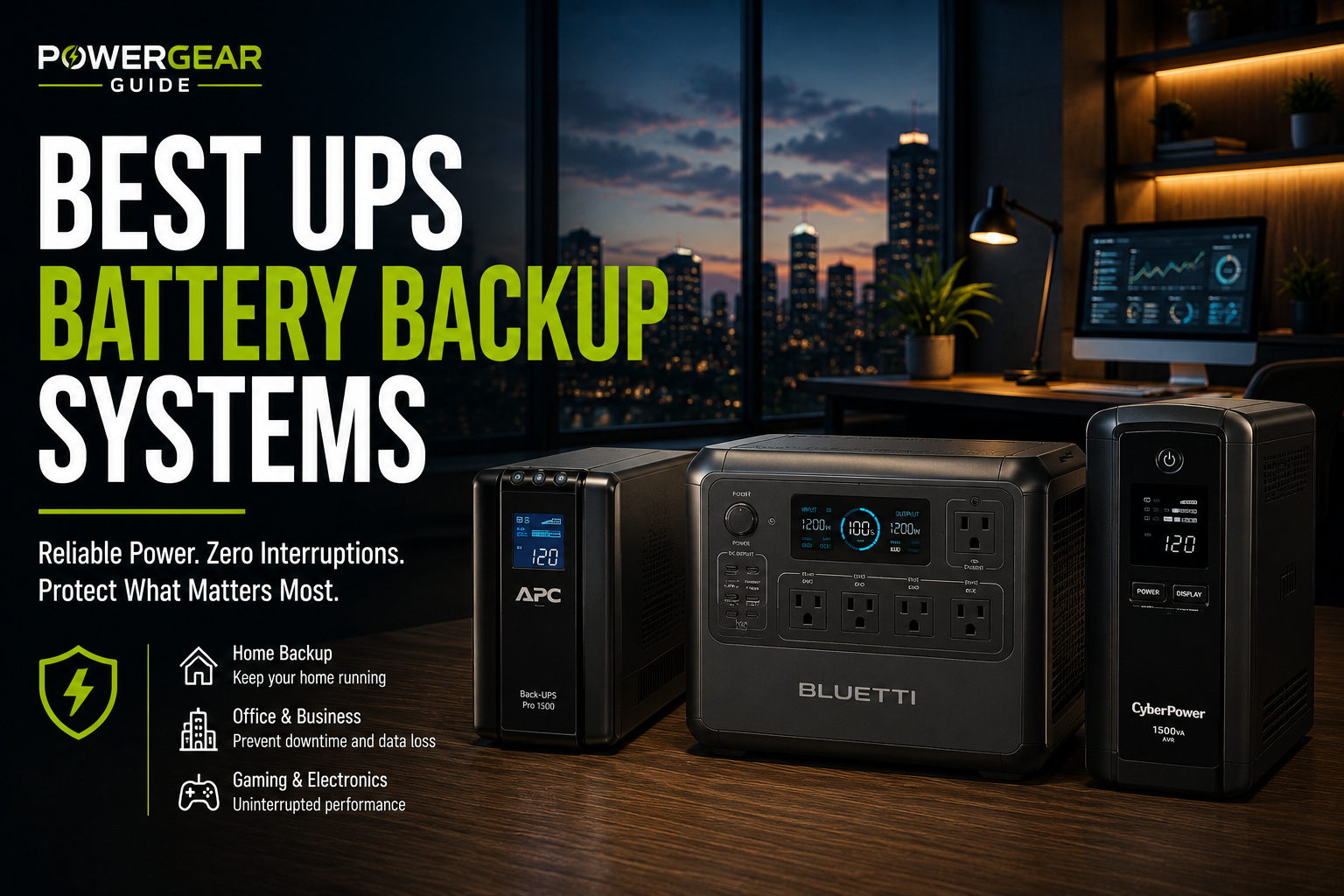
Quick answer: The CyberPower CP1500PFCLCD is our preferred mainstream gaming UPS for its 1,000W sine-wave output, six battery-backed outlets and manufacturer-published runtime data. The APC BR1500MS2 is a strong 900W alternative. For a rack-mounted setup, consider the CyberPower CP1500PFCRM2U. Higher-cost Smart-UPS models make more sense when monitoring and manageability justify the expense.
The most important limitation: these are short-duration backup systems, not batteries intended to let you keep gaming through a prolonged outage. At a heavy load, expect minutes rather than hours.
Our Verdict: What Most Gaming PCs Actually Need
For a gaming desktop with an active-PFC power supply, prioritize a UPS with sine-wave output while running on battery, sufficient continuous watt capacity and enough runtime to save work and shut down.
A 1,500VA / 900W–1,000W sine-wave UPS is a useful starting category for many midrange and high-performance gaming desktops, but it is not a universal recommendation. Some lower-power PCs can use smaller units, while extreme systems may exceed the practical capacity of common consumer UPS models.
Our top pick: CyberPower CP1500PFCLCD. It offers 1,000W continuous output, sine-wave battery power, automatic voltage regulation and manufacturer-rated runtime of approximately 10 minutes at 500W or 2.5 minutes at 1,000W under specified conditions.
Our alternative: APC BR1500MS2 for buyers who prefer a 900W Back-UPS Pro with AVR, an LCD and a user-replaceable battery.
CyberPower CP1500PFCLCD
1,500VA / 1,000W sine-wave tower UPS with twelve outlets, six of them battery-backed.
APC BR1500MS2
1,500VA / 900W sine-wave Back-UPS Pro with AVR and ten total outlets.
CyberPower CP1500PFCRM2U
1,500VA / 1,000W sine-wave UPS in a 2U rackmount form factor.
Best UPS for Gaming PCs: Quick Comparison
These models are compared by their published output ratings and intended applications. A larger VA number is not necessarily a larger watt rating, and outlet counts do not always equal the number of outlets supplied by battery power.
| Model | Capacity | Battery Waveform | Form Factor | Best Fit |
|---|---|---|---|---|
| CyberPower CP1500PFCLCD | 1,500VA / 1,000W | Sine wave | Tower | Most mainstream gaming PCs |
| APC BR1500MS2 | 1,500VA / 900W | Sine wave | Tower | Balanced desktop setups |
| CyberPower CP1500PFCRM2U | 1,500VA / 1,000W | Sine wave | 2U rackmount | Rack-based gaming or workstation setups |
| APC Smart-UPS SMT1500C | 1,500VA class | Sine wave | Tower | Managed workstations |
| APC Smart-UPS SMT1500RM2UC | 1,500VA class | Sine wave | Rackmount | Managed racks and professional systems |
| Eaton 5S1500LCD | 1,500VA / 900W | Confirm battery waveform for PSU | Slim tower | Quiet, moderate-load setups |
Top UPS Recommendations for Gaming PCs
1. CyberPower CP1500PFCLCD
The strongest all-around choice in this group for gaming desktops that fit within a 1,000W UPS output limit.
CyberPower specifically markets the CP1500PFCLCD for systems using active power-factor correction. Its line-interactive design provides sine-wave output on battery and automatic voltage regulation for certain incoming voltage fluctuations.
The published runtime is especially useful for gaming-PC planning: approximately 10 minutes at half load (500W) and 2.5 minutes at full load (1,000W). Those figures come from the manufacturer's runtime specifications, not our own testing.
Six outlets provide battery backup and surge protection. The remaining six are surge-only. That distinction matters because connecting your PC to the wrong outlet group means it will still shut off during an outage.
- 1,000W continuous output
- Sine-wave battery output
- Designed for active-PFC compatibility
- AVR and LCD monitoring
- User-replaceable battery
- USB management and shutdown support
- Only six outlets are battery-backed
- Approximately 2.5 minutes at full load
- Not a zero-transfer online UPS
- Battery replacement is an ownership cost
Buy it if: Your measured gaming load, including essential peripherals, leaves sensible headroom below 1,000W and you want a sine-wave UPS with documented runtime.
Skip it if: Your system regularly approaches 1,000W, you need long-duration backup or you require zero-transfer power conditioning.
Check Price2. APC Back-UPS Pro BR1500MS2
A practical sine-wave UPS for a gaming desktop, monitor and essential networking equipment.
APC's BR1500MS2 combines a 900W output rating with sine-wave battery backup, automatic voltage regulation, an LCD and a user-replaceable battery. It also includes USB-A and USB-C charging ports.
Compared with the CyberPower CP1500PFCLCD, its main electrical limitation is the lower 900W continuous rating. That difference matters when a GPU-heavy PC is already close to the UPS limit.
It remains a compelling alternative for systems with lower measured demand, especially when the buyer prefers APC's Back-UPS Pro product family.
- Sine-wave battery backup
- Automatic voltage regulation
- LCD status display
- User-replaceable battery
- USB charging ports
- 100W less output than CyberPower's top pick
- Not all outlets are battery-backed
- Short runtime at heavy gaming loads
- Not an online double-conversion system
Buy it if: You want a 900W sine-wave UPS for a measured gaming setup with appropriate headroom.
Skip it if: Your PC and monitor regularly approach 900W combined or you need more demanding power conditioning.
Check Price3. CyberPower CP1500PFCRM2U
Sine-wave protection for a rack-mounted gaming PC, home lab or combined workstation setup.
The CP1500PFCRM2U provides sine-wave output, line-interactive operation and eight battery-backed outlets in a rackmount design.
CyberPower publishes approximately 10.2 minutes at half load and 3.1 minutes at full load. These manufacturer ratings provide a useful starting point when sizing a rack-based system.
Unlike a tower UPS, this model requires appropriate rack space, ventilation and mounting support. It is not automatically a better purchase for someone with a conventional PC tower under a desk.
- 1,000W sine-wave output
- Eight battery-backed outlets
- Rackmount form factor
- USB monitoring support
- Manufacturer-published runtime
- Unnecessary for most desk setups
- Requires rack planning
- Limited runtime at high load
- Not a zero-transfer online UPS
Buy it if: Your gaming or workstation equipment already lives in a rack and you want 1,000W sine-wave battery backup.
Skip it if: You need an ordinary desktop UPS or cannot accommodate the rack dimensions and ventilation requirements.
Check Price4. APC Smart-UPS SMT1500C
For buyers who want a business-oriented UPS platform rather than the least expensive gaming battery backup.
APC's Smart-UPS family is intended for professional computers, servers and networked equipment where monitoring, power management and serviceability are priorities.
The SMT1500C is a line-interactive sine-wave tower UPS with SmartConnect capabilities. It is worth considering for a workstation that also handles professional projects, long renders or important data.
The premium is harder to justify for a gaming-only PC when a suitable consumer sine-wave UPS already provides adequate output and safe-shutdown capability.
- Business-oriented monitoring
- Sine-wave battery output
- Line-interactive voltage regulation
- Professional support ecosystem
- Higher ownership cost category
- Management features may be unnecessary
- Still limited battery runtime
- Exact network-management capabilities vary by configuration
Buy it if: You need professional monitoring and manageability for a valuable workstation.
Skip it if: Your primary goal is simply saving a game and shutting down safely during an outage.
Check Price5. APC Smart-UPS SMT1500RM2UC
A managed rackmount option for gaming/workstation environments that also contain network and server equipment.
The SMT1500RM2UC brings the Smart-UPS approach to a 2U rackmount configuration. Its strengths are professional UPS management, sine-wave battery output and integration into rack-based infrastructure.
For a single gaming tower, those features are often excessive. For a gaming studio or home lab with rack-mounted computers and network equipment, they may justify the added cost.
- Rackmount form factor
- Sine-wave battery output
- Smart-UPS management ecosystem
- Appropriate for professionally managed equipment
- Higher cost than consumer alternatives
- Requires suitable rack installation
- Short-duration backup remains the primary purpose
- Unnecessary complexity for many gaming setups
Buy it if: You want a managed rackmount UPS and the rest of your setup supports that form factor.
Skip it if: You are protecting only one conventional gaming desktop.
Check Price6. Eaton 5S1500LCD
A slim, quiet 1,500VA / 900W UPS, but not our first recommendation for demanding active-PFC gaming systems.
Eaton's 5S1500LCD stands out for its narrow tower design and manufacturer-published noise level below 25dB at one meter. It includes line-interactive voltage regulation and USB HID communication.
However, quiet operation is not enough to establish suitability for every gaming power supply. Unlike the dedicated sine-wave models above, the US Eaton product listing does not clearly confirm the battery waveform needed to make a broad active-PFC compatibility recommendation.
We therefore treat it as a conditional alternative, not a universal gaming recommendation.
- 900W output rating
- Quiet manufacturer specification
- Slim tower footprint
- USB HID communication
- Automatic voltage regulation
- Battery waveform requires compatibility verification
- Not our default active-PFC gaming choice
- Limited battery runtime
- Not a zero-transfer UPS
Buy it if: You prioritize a quiet, narrow UPS and have confirmed its battery waveform is compatible with your equipment.
Skip it if: You want a straightforward, documented sine-wave recommendation for a high-end gaming PSU.
Check PriceHow to Size a UPS for a Gaming PC
UPS sizing is where many buyers make an expensive mistake. A PC with a 1,000W power supply does not necessarily draw 1,000W from the wall, but a gaming system with high GPU and CPU consumption may draw much more than its desktop-idle figure suggests.
Measure Actual Wall-Power Consumption
Use an appropriately rated plug-in power meter to measure the combined AC load of the PC and essential peripherals during representative demanding use. Include one monitor if you need it to remain powered during an outage.
Allow Meaningful Headroom
As a planning target, aim for a typical demanding load no higher than about 70–80% of the UPS's continuous watt rating. This is a sizing margin, not a guarantee against every GPU transient or startup event.
Check Both Watts and VA
A UPS must meet both its real-power limit in watts and its apparent-power limit in volt-amperes. A 1,500VA / 900W model is not a 1,500W UPS.
Check the Battery Waveform
Prefer documented sine-wave output on battery for modern active-PFC gaming PSUs. A stepped or simulated sine-wave UPS may work with some systems, but compatibility should not be assumed.
Verify Runtime at Your Load
Use the manufacturer's runtime curve or selector at your measured wattage. A UPS that runs for ten minutes at half load may last only a few minutes near its rated maximum.
UPS Wattage Planning Examples
| Measured PC + Essential Load | Minimum Output at 80% Planning Load | Practical Direction |
|---|---|---|
| 250W | 313W | A smaller compatible sine-wave UPS may be sufficient |
| 400W | 500W | Consider a 600W-class sine-wave UPS or larger |
| 550W | 688W | A 900W–1,000W sine-wave UPS offers useful margin |
| 700W | 875W | A 900W unit has little margin; 1,000W is more comfortable |
| 850W | 1,063W | Look beyond typical 900W–1,000W consumer models |
Calculations divide the measured load by 0.80 and round up. This is illustrative headroom planning, not a certification of compatibility. Check PSU behavior, transient loads, UPS overload tolerance and both W/VA ratings.
Gaming PC UPS Runtime: What to Expect
The primary purpose of a gaming UPS is to bridge brief power interruptions and provide enough time to save work, exit applications and shut down safely.
For the CyberPower CP1500PFCLCD, the manufacturer specifies:
500W
About 10 minutes
Manufacturer-rated runtime with a fully charged battery under specified test conditions.
1,000W
About 2.5 minutes
Manufacturer-rated runtime. Real-world results vary with battery age, temperature and load behavior.
That is a substantial runtime difference despite only doubling the load. Lead-acid UPS batteries do not deliver a fixed number of usable watt-hours across every discharge rate, so simple battery-capacity division is not a reliable substitute for the manufacturer's runtime curve.
What If You Need 30–60 Minutes of Backup?
A conventional consumer UPS is usually the wrong category if your goal is extended gaming during a blackout. Consider an appropriately designed extended-runtime UPS or compatible portable power system, while checking transfer behavior and PSU compatibility.
A portable power station with a large battery may provide longer runtime, but it is not automatically a replacement for a dedicated UPS. Transfer delays, output behavior and supported operating modes matter.
Why Pure Sine Wave Matters for Gaming PCs
Many modern desktop power supplies use active power-factor correction. A sine-wave UPS produces a battery output waveform that more closely resembles normal utility power than a stepped or simulated sine-wave design.
This reduces a potential compatibility concern during the moment a UPS switches to battery. Some active-PFC power supplies can work with simulated sine-wave output, but others may shut down or behave unexpectedly under certain load conditions.
A sine-wave UPS does not guarantee compatibility with every PSU. Transfer time, overload behavior, input tolerance and the specific computer configuration still matter.
Line-Interactive vs Online UPS
A line-interactive UPS normally supplies power through its utility-connected path, uses automatic voltage regulation for supported fluctuations and transfers to battery during an outage.
An online double-conversion UPS continuously conditions the output through its power-conversion system and is used where a higher level of power continuity is required.
For most home gaming desktops, a properly sized line-interactive sine-wave UPS is the more practical choice. A true online UPS may be justified for unusually sensitive or professionally critical equipment, but it typically adds cost, heat and operational complexity.
How to Connect a Gaming PC to a UPS Correctly
Place the UPS in a Ventilated Location
Follow the manufacturer's clearance and orientation instructions. Avoid enclosed cabinets, excessive heat and locations where cables can be pinched or the UPS can be knocked over.
Plug It Into an Appropriate Grounded Outlet
Follow the UPS manual for direct wall connection and circuit requirements. Do not daisy-chain UPS units or use unapproved extension cords, power strips or surge protectors.
Use the Battery-Backed Outlets for Essential Devices
Connect the gaming PC and, when needed, one monitor to battery-backed outlets. Put nonessential devices on surge-only outlets where supported.
Connect the USB Communication Cable
Install or configure compatible shutdown software so the computer can respond to an extended outage. Confirm that the software supports your operating system and UPS model.
Charge, Inspect and Test Safely
Follow the initial charging instructions, verify the indicated load and perform the manufacturer's recommended self-test. Confirm shutdown settings without risking unsaved data or interrupting critical equipment.
Which Devices Should Be Battery-Backed?
| Device | Recommendation | Why |
|---|---|---|
| Gaming PC | Battery-backed | Allows a controlled shutdown |
| Primary monitor | Usually battery-backed | Lets you see and complete shutdown steps |
| Router / modem | Optional battery-backed | Preserves connectivity if the network remains operational |
| Secondary monitors | Usually surge-only | Preserves battery runtime |
| Speakers and RGB accessories | Usually surge-only | Nonessential during an outage |
| Laser printer | Do not connect to battery outlets | High power demands can overload consumer UPS units |
Common Gaming UPS Buying Mistakes
Buying by VA Alone
Two 1,500VA models can have different real-watt capacities. Always check the watt rating.
Ignoring Battery Waveform
A cheaper simulated sine-wave UPS is not automatically the right match for a modern active-PFC PSU.
Expecting Hours of Gaming
Conventional desktop UPS units are built primarily for safe shutdown, not extended gameplay.
Using Surge-Only Outlets
Devices connected to surge-only outlets will not receive battery power during an outage.
Forgetting Battery Aging
Lead-acid UPS batteries gradually lose capacity. Runtime may be significantly lower as the battery ages.
Skipping Shutdown Configuration
A UPS cannot protect unsaved work indefinitely. Configure alerts and automatic shutdown when supported.
Frequently Asked Questions
What size UPS do I need for a gaming PC?
Measure the PC and essential peripherals at the wall under a representative demanding workload. Choose a UPS that meets both the watt and VA requirements with suitable headroom. A 900W–1,000W sine-wave model is a useful starting category for many systems, but high-demand builds may need more.
Is a 1,500VA UPS enough for a high-end gaming PC?
Sometimes. The real watt rating matters more than the VA label alone. A 1,500VA UPS might be rated for 900W, 1,000W or another value. Compare that rating with measured system draw, PSU behavior and the manufacturer's overload limits.
Will a UPS keep my gaming PC running during an outage?
A compatible, properly sized UPS can provide short-duration battery power, but it may not preserve operation through every interruption or overload event. At high loads, runtime may be only a few minutes.
Do gaming PCs need pure sine-wave UPS units?
Sine-wave output is the safer default recommendation for modern active-PFC power supplies because it reduces waveform-compatibility concerns. It is not an absolute guarantee of compatibility with every computer.
Does a UPS improve gaming FPS?
No. A UPS does not normally increase frame rates or graphics performance. Its role is to provide power protection, supported voltage regulation and temporary battery backup.
Should my gaming monitor be connected to the UPS?
Usually one monitor should be connected to a battery-backed outlet so you can see what you are doing during shutdown. Additional displays reduce available runtime and are often better placed on surge-only outlets.
Can a GPU power spike overload a UPS?
Yes. A brief high-demand event can cause an overload or shutdown if the UPS is undersized or its overload behavior is incompatible with the system. Leave headroom and consult manufacturer guidance.
How long does a 1,500VA UPS last while gaming?
Runtime depends on the specific model and actual watts consumed. For example, CyberPower rates the CP1500PFCLCD at about ten minutes at 500W and 2.5 minutes at 1,000W. Other models and loads produce different results.
Is an expensive Smart-UPS worth it for gaming?
Usually not for gaming alone. A suitable consumer sine-wave UPS can provide the short-duration protection most gamers need. Smart-UPS features become more valuable when managing professional workstations, racks or critical network equipment.
Can I plug a gaming PC and console into the same UPS?
Only if the combined load stays within the UPS's limits and the supported outlets are used correctly. Backing up nonessential devices reduces runtime, so prioritize equipment that needs a controlled shutdown.
How often should I replace a UPS battery?
Follow the manufacturer's maintenance and replacement guidance. Battery life depends on temperature, cycling and age. A UPS that passes a basic self-test may still deliver less runtime than it did with a new battery.
Final Recommendation: Choose Real Watts, Sine Wave and Safe Shutdown
CyberPower CP1500PFCLCD is our first choice for most suitable gaming setups. Its 1,000W rating, sine-wave output, six battery-backed outlets and clearly published runtime make it a practical starting point.
APC BR1500MS2 is our preferred mainstream alternative for buyers whose measured load fits comfortably within 900W. The CyberPower CP1500PFCRM2U is better suited to rackmount installations, while APC Smart-UPS models serve buyers with professional management requirements.
Before purchasing, measure the load you need to protect, check the UPS's actual battery-backed outlets and verify the runtime at that load. The best gaming UPS is the one that keeps your specific system running long enough to shut down safely—not the one with the largest-looking number on its box.
Compare Current OptionsSources and Editorial Methodology
Recommendations are based on manufacturer-published specifications, electrical compatibility considerations and practical gaming-PC use cases. We distinguish manufacturer-rated runtime from planning guidance and do not claim to have performed hands-on testing.
- CyberPower — CP1500PFCLCD Official Specifications — 1,500VA / 1,000W output, sine-wave waveform, outlet allocation, runtime and battery replacement.
- APC — BR1500MS2 Official Product Information — 1,500VA / 900W output, AVR, outlets and user-replaceable battery.
- CyberPower — CP1500PFCRM2U Official Specifications — rackmount configuration, 1,000W output, battery waveform and runtime.
- Eaton — 5S1500LCD Official Specifications — 1,500VA / 900W rating, slim-tower dimensions, noise level and communications.
- CyberPower — PFC Sinewave UPS Technology — manufacturer explanation of sine-wave output and active-PFC power-supply compatibility.
- APC — Smart Connected UPS Communications Support — model-family differences in monitoring and communications.
The existing article's core product comparisons and original WordPress image have been retained. Product-specific affiliate searches use the Power Gear Guide tracking ID. Prices, stock levels and unverified performance claims are intentionally omitted.