
Best Indoor Backup Power Options: Safe Battery Systems for Power Outages
Need emergency electricity without running a gasoline generator indoors? Compare portable power stations, UPS battery backups and professionally installed home batteries—then choose the right system for your refrigerator, internet, electronics and essential appliances.
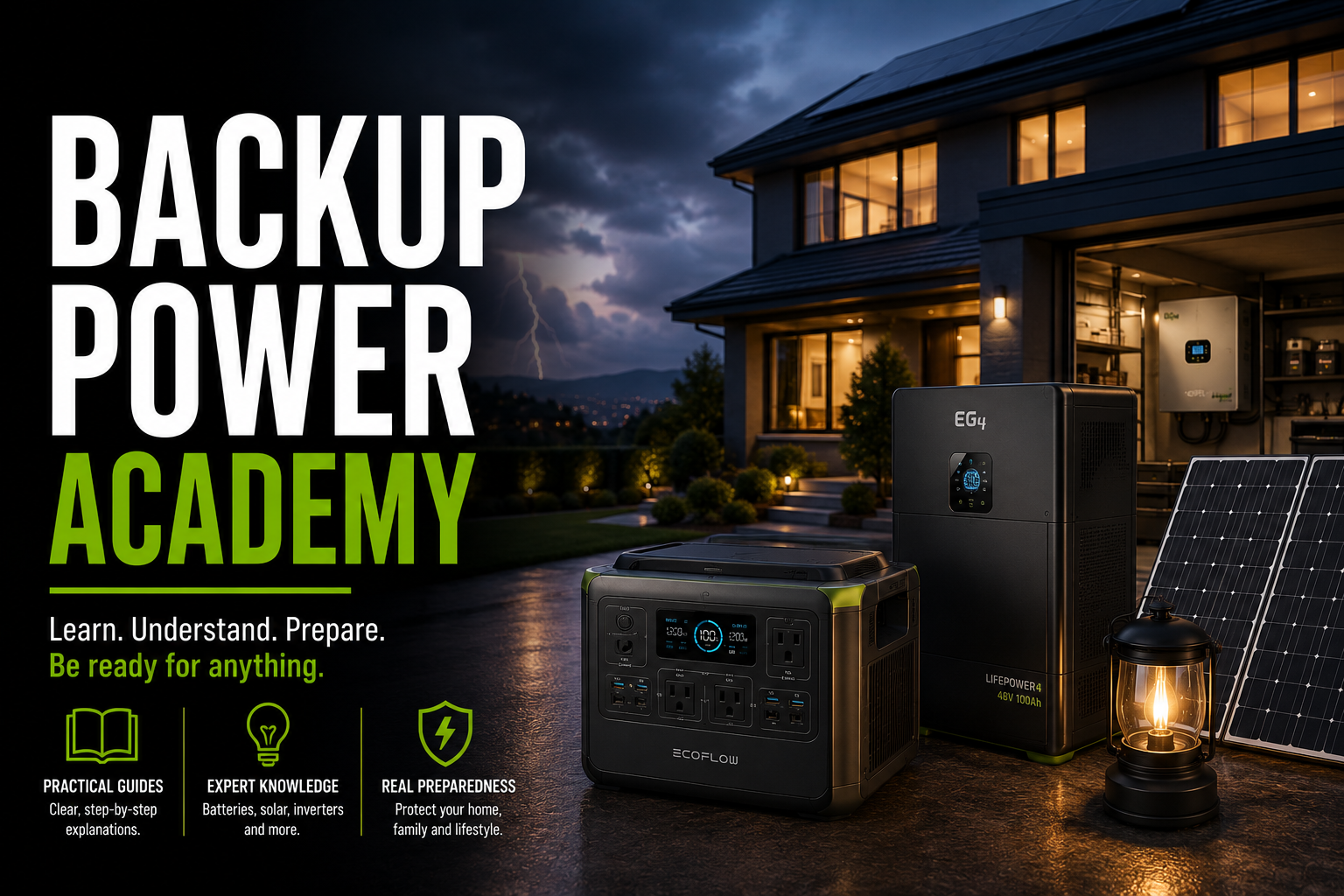
Our recommendation: For most households that want simple plug-in emergency power, start with a LiFePO4 portable power station in the 1,000–2,000Wh range. Choose a dedicated UPS when uninterrupted power to computers or networking equipment is the priority. Consider a professionally installed home battery when you need automatic circuit-level or whole-home backup.
Which Indoor Backup Power Option Should You Choose?
For a refrigerator and several essentials: A portable power station such as the EcoFlow DELTA 2 Max offers substantial battery capacity and high AC output, subject to appliance compatibility.
For computers, routers and NAS devices: A purpose-built UPS is the more appropriate starting point when automatic transfer and orderly shutdown are essential.
For a small apartment: A 1kWh-class station such as the Anker SOLIX C1000 provides useful emergency electricity without a permanent installation.
For multiple household circuits: A professionally installed battery system with compatible transfer and isolation equipment is more suitable than a portable station plugged into an outlet.
Four Types of Indoor Backup Power
1. Portable Battery Power Stations
Rechargeable battery systems with built-in inverters and standard AC outlets. You connect compatible appliances directly to the station.
Best for: Refrigerators, lights, phones, routers and temporary backup for selected appliances.
Limitation: Stored energy is finite, and automatic transfer capabilities vary by model.
2. Uninterruptible Power Supplies
UPS systems are designed to provide short-duration backup when utility power fails.
Best for: Desktop PCs, routers, network equipment and compatible NAS systems.
Limitation: Typical consumer UPS units provide minutes, not days, of runtime at substantial loads.
3. Installed Home Battery Systems
Fixed batteries connect to approved electrical equipment that can isolate backed-up circuits from the utility grid.
Best for: Essential circuits, automatic backup and larger household energy needs.
Limitation: Installation cost, permitting, electrical work and system design.
4. Dedicated DC Battery Backup
Smaller DC battery systems can keep compatible networking devices and low-voltage electronics running without AC inverter losses.
Best for: Compatible routers, modems and low-power devices.
Limitation: Voltage, connector and polarity compatibility are critical.
Indoor Backup Power Comparison
The right system depends on how much electricity you need, whether you require automatic transfer and whether permanent installation is possible.
| Backup Type | Typical Use | Runtime Goal | Installation | Main Trade-Off |
|---|---|---|---|---|
| Portable Power Station | Selected household appliances | Hours, depending on load and capacity | Plug-in operation | Finite storage and model-specific transfer behavior |
| Consumer UPS | Computers and networking | Minutes to limited hours | Plug-in operation | Usually limited battery capacity |
| Installed Home Battery | Selected circuits or broader home loads | Hours to longer, depending on system size | Professional installation | Higher initial cost and complexity |
| Dedicated DC Backup | Compatible low-voltage electronics | Device-dependent | Device-specific connections | Limited compatibility and power |
Best Indoor Battery Backup Products to Compare
These are distinct options for different household needs. Specifications below refer to the named models, not every similarly named product generation.
EcoFlow DELTA 2 Max
A high-capacity portable station for households that want to support multiple selected appliances during an outage.
The DELTA 2 Max occupies a useful middle ground between small portable stations and permanent home battery installations.
Its approximately 2kWh battery can provide meaningful backup for low- and moderate-power loads. The 2,400W AC output also gives it more appliance flexibility than compact stations with smaller inverters.
EcoFlow offers compatible expansion batteries for this model family. That matters if your primary concern is runtime rather than maximum simultaneous wattage.
- 2,048Wh base capacity
- 2,400W rated AC output
- LiFePO4 battery
- Compatible expansion options
- Useful for several selected appliances
- Heavier than 1kWh-class models
- Finite runtime under sustained loads
- Not a substitute for a wired home transfer system
- Automatic transfer suitability requires verification
Choose it if: You want a larger plug-in battery for refrigerator backup and multiple essential devices.
Avoid it if: You only need a router and laptop or require permanently integrated whole-home backup.
Check PriceAnker SOLIX C1000
A practical 1kWh-class option for apartments, smaller homes and targeted backup needs.
Anker's original SOLIX C1000 combines 1,056Wh of LiFePO4 storage with 1,800W continuous inverter output. Manufacturer documentation also specifies up to 600W solar input.
It is attractive when you want enough inverter power for a range of compatible appliances but do not need to store more than 2kWh in the main unit.
Anker specifies a 20ms UPS transfer time for this model. That can be useful for selected electronics, but it is not equivalent to guaranteed zero-interruption operation.
- 1,800W rated AC output
- LiFePO4 battery
- 28.4-pound weight
- 600W maximum solar input
- Compatible expansion option
- Less energy storage than 2kWh stations
- 20ms transfer may interrupt sensitive equipment
- High-wattage loads drain the battery quickly
- Not a wired whole-home solution
Choose it if: You want a manageable portable backup battery for essentials, occasional appliance use and emergency charging.
Avoid it if: You need an entire day of substantial refrigerator and appliance backup without recharging.
Check PriceBLUETTI AC180
A versatile LiFePO4 station with a strong inverter and multiple output options.
The AC180 provides 1,152Wh of LiFePO4 storage and 1,800W continuous AC output. BLUETTI specifies four 120V AC outlets, 500W maximum solar input and approximately 35.3 pounds of weight.
This model is a useful alternative to the Anker C1000 if you want to compare battery capacity, outlet configuration, app features and charging.
BLUETTI also advertises a Power Lifting mode. Do not interpret that feature as a higher continuous inverter rating for all appliances. It is intended for compatible resistive loads and may operate them at reduced voltage.
- 1,152Wh capacity
- 1,800W pure sine wave output
- Four AC outlets
- 500W solar input
- LiFePO4 chemistry
- Heavier than the original C1000
- Not designed for whole-home wiring by itself
- Power Lifting is not extra universal inverter capacity
- Runtime remains limited by 1,152Wh storage
Choose it if: You want a versatile mid-size station with several AC outlets and documented solar charging capability.
Avoid it if: You need lightweight travel power or multi-day household backup without additional charging.
Check PriceWhen a Dedicated UPS Is the Better Choice
A large portable power station is not always the best solution for every indoor backup need. Computers, NAS systems and networking equipment may benefit more from a dedicated UPS.
CyberPower CP1500PFCLCD
A 1500VA/1000W-class pure sine wave UPS designed for compatible computers and electronics.
Its purpose is to bridge short power interruptions and allow controlled shutdown—not to run a household refrigerator for hours.
Best for: Desktop computers and compatible active-PFC power supplies.
Check PriceAPC BR1500MS2
A 1500VA/900W-class sine wave UPS intended for computer and networking equipment.
Its battery backup outlets can provide short-term power while compatible devices are shut down safely.
Best for: Home office setups where reliable short-duration backup matters more than maximum watt-hours.
Check PriceHow Much Indoor Backup Battery Capacity Do You Need?
Start by listing the devices you must operate, their average wattage and how long they need to run.
The 0.85 factor is a simplified allowance for inverter losses and usable battery energy. It is not a measured efficiency rating for every model.
Example: Essential Devices During an Outage
| Device | Example Average Load | Duration | Energy Needed |
|---|---|---|---|
| Router and modem | 20W | 12 hours | 240Wh |
| LED lighting | 30W | 5 hours | 150Wh |
| Laptop | 50W | 4 hours | 200Wh |
| Small fan | 35W | 8 hours | 280Wh |
| Total | Varies | Mixed | 870Wh |
With the planning allowance, these example loads require:
A 1kWh-class station is therefore near the theoretical requirement for this example. A larger battery provides more practical reserve for changing loads and unexpected interruptions.
Estimated Runtime at Constant AC Loads
| Battery | 50W Load | 100W Load | 200W Load |
|---|---|---|---|
| 1,056Wh C1000 | 17.9 hours | 9.0 hours | 4.5 hours |
| 1,152Wh AC180 | 19.6 hours | 9.8 hours | 4.9 hours |
| 2,048Wh DELTA 2 Max | 34.8 hours | 17.4 hours | 8.7 hours |
Calculated using 85% usable AC energy. Not measured performance. Inverter idle consumption, temperature, battery age, settings and real-world load variation affect actual runtime.
What About Refrigerators, CPAP Machines and Medical Equipment?
Refrigerators
Confirm both running wattage and compressor starting requirements. A refrigerator's daily energy use is often more useful for runtime planning than its maximum running wattage.
Use appliance labels, manufacturer information and energy measurements whenever possible.
CPAP and Medical Devices
Use only power supplies and backup arrangements approved for the specific medical device. Humidifiers and heated tubing can significantly change energy use.
Do not rely on an untested consumer battery station as the sole power source for life-sustaining equipment.
Portable Battery vs. Whole-Home Battery: The Important Difference
Portable stations are attractive because they require no permanent installation when powering appliances through their own outlets.
However, they do not automatically energize your home's existing wall outlets when utility power fails.
Portable Station
- Power appliances directly
- Can move between locations
- Usually simpler to deploy
- Limited by inverter and battery size
- No automatic household circuit backup by default
Home Battery System
- Can serve selected electrical circuits
- May provide automatic transfer
- Can support larger storage configurations
- Requires compatible electrical equipment
- Typically needs professional installation
For a permanent installation, compare systems such as Tesla Powerwall, Enphase IQ Battery and other listed home energy storage solutions through qualified installers. Their capabilities depend on the complete system configuration, not the battery alone.
Indoor Backup Power Safety: What You Must Know
Never Run Fuel Generators Indoors
Combustion generators release carbon monoxide. Keep them outdoors and away from doors, windows, vents and occupied spaces.
Do Not Backfeed Outlets
Never connect a power station or generator to household wiring using an improvised double-ended cord.
Protect Batteries From Heat
Follow the manufacturer's temperature, ventilation, charging and storage requirements. Avoid blocked cooling vents.
Check Electrical Ratings
Never exceed the station's continuous inverter rating or individual outlet limits. Motor starting loads may require additional headroom.
Keep Equipment Dry
Unless explicitly rated otherwise, keep power stations away from rain, standing water and excessive humidity.
Use Compatible Charging Equipment
Solar panels, chargers and expansion batteries must match the exact manufacturer's voltage, current and connector requirements.
Test Before an Emergency
Charge the battery, connect intended loads, measure consumption and verify safe operation before an outage occurs.
How to Build a Practical Indoor Outage Plan
Identify Essential Loads
Separate must-have devices from conveniences. Prioritize communication, lighting, refrigeration and any medically necessary equipment.
Calculate Energy Needs
Multiply each device's average watts by required hours. Add a reserve for conversion losses and changing conditions.
Plan for Recharging
Determine whether you can recharge from utility power before an outage, compatible solar panels or another safe external source.
Frequently Asked Questions
What is the safest type of indoor backup power?
Properly used, manufacturer-approved battery backup systems avoid the carbon monoxide hazards associated with combustion generators. Electrical and battery safety requirements still apply.
Can a portable power station be used inside an apartment?
Many portable battery stations are intended for indoor use under specified conditions. Check the model's manual, building restrictions, ventilation and charging requirements.
How big a battery do I need to run a refrigerator?
That depends on the refrigerator's actual energy consumption, compressor startup demand and desired runtime. Measure daily watt-hours and verify inverter compatibility.
Is a portable power station the same as a UPS?
No. Some portable stations offer EPS or UPS-like transfer functions, but their transfer times and supported loads differ. A dedicated UPS is often preferable for sensitive computing equipment.
Can I power my whole house by plugging a battery into a wall outlet?
No. Backfeeding household wiring through a wall outlet is dangerous. Circuit-level backup requires appropriate transfer and isolation equipment installed according to applicable codes.
Do indoor backup batteries need ventilation?
Yes, follow the manufacturer's clearance and airflow instructions. Many units require unobstructed cooling vents even though they do not generate engine exhaust.
Are LiFePO4 batteries better for indoor backup?
LiFePO4 is widely used in portable storage because of its cycle-life and thermal characteristics. Overall system safety also depends on engineering, protective electronics, certification, installation and correct use.
Final Verdict: The Best Indoor Backup Power Setup
For most households: A quality LiFePO4 portable power station provides the simplest starting point for safe, temporary indoor backup of selected devices.
For larger appliance backup: Compare the EcoFlow DELTA 2 Max and other expandable 2kWh-class systems.
For smaller apartments and essential electronics: The Anker SOLIX C1000 and BLUETTI AC180 are practical mid-size options.
For computers and NAS systems: Start with a dedicated UPS. For automatic household circuit backup, consult a qualified installer about an appropriate home battery system.
Compare Current OptionsSources and Editorial Methodology
This guide evaluates indoor backup technologies by their intended use, published specifications, energy capacity, inverter output and safety requirements. It does not claim firsthand product testing.
- Anker SOLIX C1000 Official Specifications — Capacity, AC output, solar input, UPS transfer time and weight.
- BLUETTI AC180 Official Product Specifications — Battery, inverter, solar charging, outlets and weight.
- EcoFlow DELTA 2 Max Product Information — Battery capacity, inverter and expansion features.
- Ready.gov Power Outage Preparedness — Emergency planning and power outage safety.
- CDC Carbon Monoxide Safety — Generator exhaust and carbon monoxide risks.
- U.S. Consumer Product Safety Commission — Carbon monoxide prevention and generator safety.
Editorial note: Runtime figures are calculated estimates based on stated assumptions, not measured test results. Always verify the exact product generation, appliance requirements, electrical ratings, warranty and availability before purchasing.