
Best Emergency Power Kits: Build a Backup Setup That Actually Works
A reliable emergency power kit is more than a portable battery. It combines the right power station, compatible charging equipment, lighting, communications, cables and a realistic plan for what you will keep running when the electricity goes out.
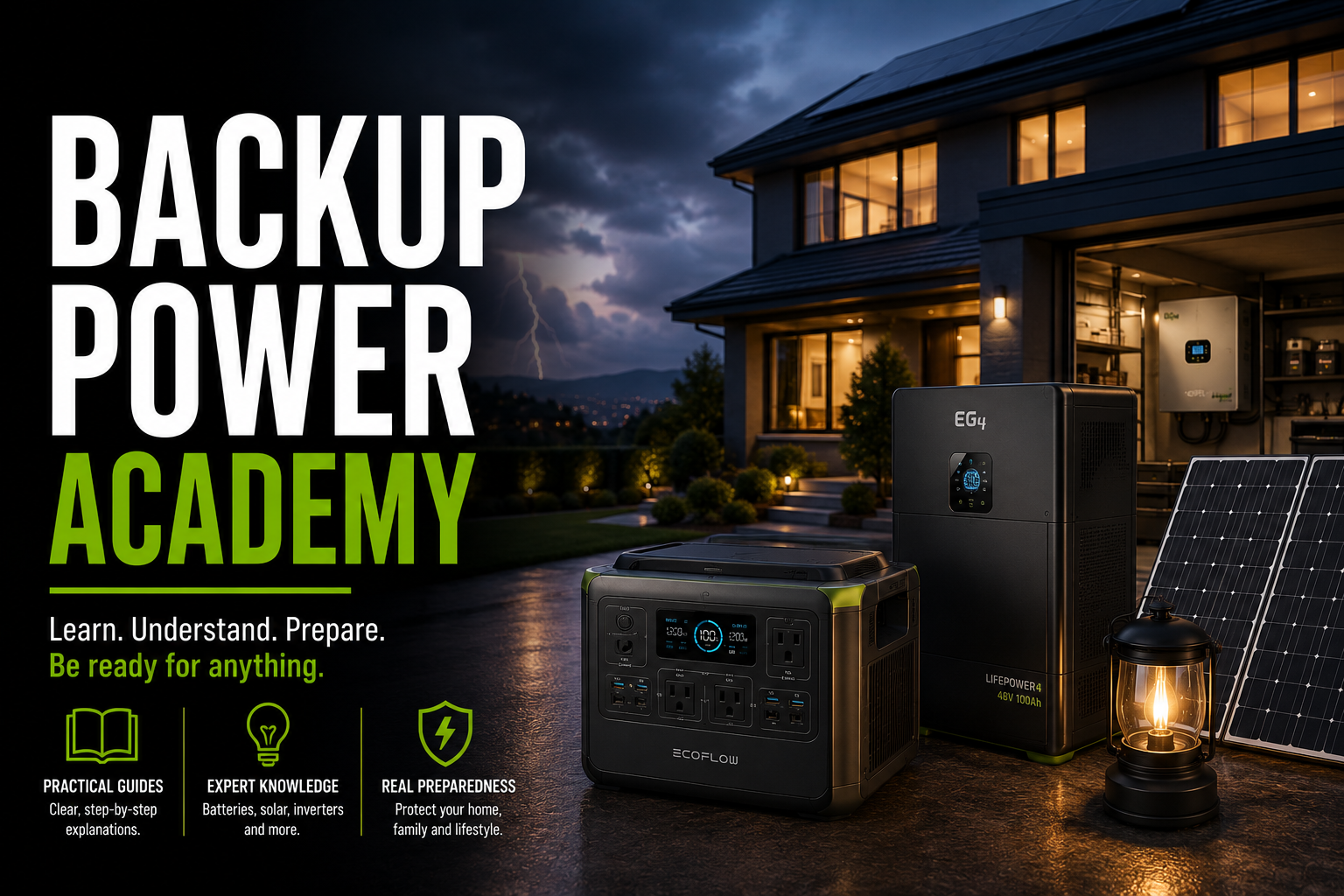
Quick answer: For many households, a roughly 1kWh LiFePO4 portable power station is a useful starting point for emergency communications, lighting and selected appliances. Our leading foundations are the EcoFlow DELTA 3 Plus, Anker SOLIX C1000, Jackery Explorer 1000 v2 and BLUETTI AC180. None is a complete emergency kit by itself: you still need the correct cables, charging plan, lighting, radio and equipment-specific backup procedures.
The best emergency power kit depends on what you must protect. A household that primarily needs phones, Wi-Fi and lights has very different requirements from one trying to keep a refrigerator cold or support essential medical equipment.
This guide compares four documented battery-station foundations, explains the trade-offs between them and provides a practical checklist for turning one into a usable outage kit.
Our Emergency Power Kit Recommendations
Best overall foundation — EcoFlow DELTA 3 Plus: A balanced 1,024Wh system with 1,800W continuous AC output and unusually flexible solar input for its capacity class.
Best expandable value candidate — Anker SOLIX C1000: A 1,056Wh, 1,800W system with a documented expansion option and up to 600W solar input. Compare its current total package cost rather than assuming it is always cheapest.
Best lightweight option — Jackery Explorer 1000 v2: A 1,070Wh, 1,500W station weighing about 23.8 pounds, making it particularly attractive when one person needs to move the kit frequently.
Best base capacity of these four — BLUETTI AC180: A 1,152Wh, 1,800W station that provides somewhat more stored energy than the other three, although that does not automatically translate into a large runtime advantage.
Best overall preparedness approach — a customized kit: Choose the station that fits your actual load, then add the accessories and procedures your household will need. A carefully planned custom kit is often more useful than an oversized retail bundle.
EcoFlow DELTA 3 Plus
LFP battery · Up to 1,000W solar input
Strong solar flexibility and fast charging make this an appealing base for a household emergency kit.
Check PriceAnker SOLIX C1000
LFP battery · Up to 600W solar input
A practical alternative when you want a fast-charging station with a compatible expansion battery option.
Check PriceJackery Explorer 1000 v2
LFP battery · Approximately 23.8 lb
A compact emergency battery for apartments, evacuation preparations and easy movement between rooms.
Check PriceBLUETTI AC180
LFP battery · Up to 500W solar input
A strong appliance-oriented foundation when a little more built-in energy matters more than minimum weight.
Check PriceEmergency Power Kit Comparison
These are U.S.-market portable power station models. Their specifications describe the base stations, not a complete package with solar panels and emergency accessories.
| Model | Battery | Continuous AC Output | Maximum Solar Input | Approx. Weight | Best Reason to Choose |
|---|---|---|---|---|---|
| EcoFlow DELTA 3 Plus | 1,024Wh LFP | 1,800W | 1,000W, split across two 500W inputs | 27.6 lb | Fast, flexible solar replenishment |
| Anker SOLIX C1000 | 1,056Wh LFP | 1,800W | 600W | 28.4 lb | Expansion option and fast charging |
| Jackery Explorer 1000 v2 | 1,070Wh LFP | 1,500W | 400W | 23.8 lb | Lower carrying weight |
| BLUETTI AC180 | 1,152Wh LFP | 1,800W | 500W | 35.3 lb | Largest base battery in this comparison |
What the table tells us: The BLUETTI has approximately 12.5% more nominal battery capacity than the EcoFlow, but actual AC runtime also depends on inverter efficiency, load and operating conditions. The Jackery is the lightest. The EcoFlow offers the highest rated solar input, provided the panel configuration satisfies the limits of both solar inputs.
None of these four is a substitute for a 120/240V whole-house backup system. The U.S. models discussed here provide ordinary 120V AC outputs.
Detailed Reviews: Four Emergency Kit Foundations
EcoFlow DELTA 3 Plus Emergency Kit
The DELTA 3 Plus is a particularly flexible foundation when you want to recharge between outages or make practical use of portable solar panels. EcoFlow specifies a 1,024Wh LFP battery, 1,800W continuous AC output, 3,600W surge rating and two independent solar inputs rated at up to 500W each.
The dual solar inputs are a meaningful distinction. They allow a larger supported solar array than the other stations in this comparison, but you must still observe each input's voltage and current limits. You cannot simply connect any combination of panels and expect the unit to accept its full advertised solar wattage.
EcoFlow also publishes a transfer time below 10ms for its backup function. That may be useful for certain electronics, but it is not equivalent to zero-transfer online UPS operation and does not guarantee uninterrupted service for every device.
- Two solar inputs with up to 1,000W combined input.
- 1,800W continuous AC output.
- Fast AC recharging.
- LFP battery chemistry.
- Compatible expansion-battery options.
- Base battery is still only about 1kWh.
- High solar input requires appropriately matched panels.
- Expansion batteries and panels increase the total cost.
- Transfer behavior must be tested with critical electronics.
How We Would Build the Kit
Pair the station with a compatible solar panel or panel set, two efficient LED lanterns, a battery-powered weather radio, phone charging cables, a labeled extension cord rated for the intended load and a printed list of essential devices.
Best for: Households prioritizing flexible recharging, networking, lights and selected small appliances.
Who should avoid it: Buyers who need several days of substantial appliance power without reliable opportunities to recharge.
Anker SOLIX C1000 Emergency Kit
The original Anker SOLIX C1000 combines a 1,056Wh LFP battery with 1,800W continuous AC output, up to 600W solar input and a compatible expansion-battery system that can increase total capacity to 2,112Wh.
Its appeal is the combination of useful inverter output, fast AC charging and a defined expansion route. If you begin with a smaller emergency kit and later discover that you need longer runtime, the expansion option can be more convenient than buying a completely separate station.
Anker documents a UPS transfer time around 20ms for the C1000. That is useful to know, but a 20ms transfer is not suitable for every sensitive device. Test compatibility rather than relying on the presence of the UPS feature alone.
- 1,800W continuous AC output.
- Up to 600W solar charging.
- Expansion to 2,112Wh with the compatible battery.
- Fast AC charging and app monitoring.
- LFP battery chemistry.
- Expansion battery adds expense and weight.
- Not a 240V backup system.
- UPS transfer is not instantaneous.
- Product generation matters when ordering accessories.
How We Would Build the Kit
Start with the C1000 and a practical solar panel size for your storage space. Add compact lighting, radio, cables and a load plan. Consider the expansion battery only after measuring how much energy your essential devices actually consume.
Best for: Buyers who want a capable starting point with a documented way to add battery capacity.
Who should avoid it: Buyers who need a very lightweight grab-and-go package or a guaranteed zero-interruption UPS.
Jackery Explorer 1000 v2 Emergency Kit
The Explorer 1000 v2 is the easiest station to carry among these four based on manufacturer-listed weight. It provides a 1,070Wh LFP battery, 1,500W continuous AC output and 3,000W peak surge rating in a package weighing approximately 23.8 pounds.
That weight difference matters during a storm, evacuation preparation or apartment outage. A battery you can move safely to the room where it is needed may be more useful than a heavier unit with somewhat more capacity.
The trade-off is a lower continuous AC output rating than the EcoFlow, Anker and BLUETTI models. That does not matter much for phones, routers or lighting, but it can matter for appliances with higher operating or startup requirements.
Jackery's documentation distinguishes the Explorer 1000 v2 from the older Explorer 1000 and the Explorer 1000 Plus. Do not assume their battery chemistry, expansion options, solar connections or output ratings are interchangeable.
- Lightest station in this comparison.
- 1,070Wh LFP battery.
- 1,500W continuous AC output.
- Convenient for mobile emergency use.
- USB-C charging for compatible electronics.
- Lower continuous AC output than the other three.
- 400W maximum solar input.
- No native expansion-battery support on this model.
- Panel and adapter compatibility must be checked carefully.
How We Would Build the Kit
Use the Explorer 1000 v2 with a compact, compatible solar panel, rechargeable LED lanterns, phone cables, a weather radio and a clearly labeled storage bag or bin for accessories.
Best for: Apartments, smaller households and people who need to carry the station between locations.
Who should avoid it: Buyers prioritizing the highest solar input or planning to run several high-wattage appliances.
BLUETTI AC180 Emergency Kit
The BLUETTI AC180 offers 1,152Wh of nominal battery capacity and 1,800W continuous AC output. It has the largest base battery among the four models in this comparison, although its roughly 35.3-pound weight makes it the heaviest as well.
The AC180 can be a practical choice when you expect to power selected appliances in addition to communications and lighting. Its 1,800W continuous rating provides headroom for some household devices, subject to their actual electrical requirements.
BLUETTI also advertises a 2,700W Power Lifting mode. This should not be confused with ordinary 2,700W continuous output. Power Lifting can alter operating voltage for certain compatible resistive loads; it is not a general-purpose increase in inverter capacity.
Its solar input is rated at up to 500W, with a documented input voltage range of 12–60V. Solar panels must be configured within the station's specified limits.
- 1,152Wh nominal battery capacity.
- 1,800W continuous AC output.
- 500W solar input.
- Fast AC charging.
- LFP battery and app support.
- Heaviest of these four stations.
- Extra capacity advantage is modest.
- Power Lifting is not ordinary continuous output.
- Base unit is not a multi-day appliance backup solution.
How We Would Build the Kit
Combine the AC180 with a compatible solar panel, efficient lighting, radio and an organized set of cables. Prioritize a measured refrigerator or communications load rather than assuming that every appliance can run simultaneously.
Best for: Households that want a little more base energy and do not need to move the station frequently.
Who should avoid it: Buyers who prioritize low carrying weight or require extended backup without a separate recharging plan.
What Every Emergency Power Kit Should Include
A retail bundle often includes a battery station and perhaps one solar panel. The following components turn that purchase into a more complete household emergency kit.
1. Properly Sized Battery Station
Choose capacity in watt-hours and output in watts based on your essential devices. Do not buy by inverter wattage alone.
2. Compatible Recharging Equipment
Keep the correct AC charging cable and any manufacturer-approved solar or vehicle charging accessories together.
3. LED Lanterns and Headlamps
Portable lighting is useful even when the main battery is being reserved for refrigeration or communications.
4. Emergency Weather Radio
Include a radio capable of receiving relevant official alerts, plus its required batteries or charging method.
5. Phone and Device Charging Cables
Include the actual USB-C, Lightning or other charging cables needed by household members.
6. Correct Extension Cords
Use appropriately rated cords in good condition. Do not overload adapters, daisy-chain power strips or route cords where they can be damaged.
7. Printed Critical-Load Plan
Record each priority device, measured power demand, approximate daily use and charging requirements.
8. Safe Storage and Documentation
Keep manuals, compatible connectors, emergency contacts and accessories together in a dry, accessible location.
Useful Optional Additions
- Separate USB power banks: Preserve the main station's energy for devices that require AC power.
- Battery-powered fans: Improve personal comfort without running a large household fan continuously.
- Spare rechargeable batteries: Support lanterns, radios and small electronics.
- Additional solar capacity: Helpful only when you have safe placement, compatible connectors and realistic sunlight.
- Expansion battery: Appropriate when supported by the exact station and justified by the required runtime.
- Dedicated medical backup equipment: Must be selected according to the medical device's manufacturer and the patient's clinical needs, not a generic power-station recommendation.
How Much Emergency Battery Capacity Do You Actually Need?
Start with the energy you need to use, not the maximum number of watts a station can deliver. A 1,800W inverter does not mean the battery contains 1,800Wh.
Example 1: Communications and Lighting
Consider this illustrative one-day plan:
| Device | Assumed Average Power | Daily Use | Calculated Energy |
|---|---|---|---|
| Router and ONT | 20W | 12 hours | 240Wh |
| LED lanterns | 10W total | 5 hours | 50Wh |
| Phone charging | 15W average | 2 hours | 30Wh |
| Small fan | 25W | 6 hours | 150Wh |
| Total | — | — | 470Wh |
These are planning assumptions, not measured product specifications. The example requires 470Wh at the devices before accounting for conversion losses, standby consumption and reserve capacity.
A roughly 1kWh station could potentially support this type of limited-use plan for a day, but that does not mean it could power the router continuously for 24 hours while also supplying every other listed load.
Example 2: Adding a Refrigerator
A refrigerator changes the calculation because its compressor cycles on and off and may draw a substantially higher amount of power during startup.
For an illustrative refrigerator consuming 1,200Wh over 24 hours, add that daily energy requirement to the communications and lighting plan:
That example exceeds the nominal stored energy of every base station in this comparison. The conclusion is not that these stations cannot operate a refrigerator; it is that daily energy consumption and the ability to recharge determine whether the plan can last.
Use an energy meter, refrigerator energy label or reliable measured consumption data to estimate your own requirements. Also verify startup surge compatibility and consider food-safety requirements during extended outages.
How Much Usable Energy Should You Assume?
For a preliminary AC-load estimate, a planning assumption of around 80–85% of nominal battery capacity can provide a conservative starting point. This is not a verified efficiency rating for every model or load.
For example, using an assumed 85% usable AC energy from a 1,024Wh station:
If the connected load averaged 100W, that simplified estimate would imply approximately 8.7 hours. Actual results can differ substantially, especially at very low or high loads.
Should an Emergency Power Kit Include Solar Panels?
Solar panels can be valuable during an extended outage because they provide a way to replenish the battery without relying on the electrical grid. But solar charging is weather-dependent, and a panel's advertised wattage is not a guarantee of actual output.
Match the Solar System to the Station
Each station has limits for input voltage, current and maximum accepted power. For example:
- EcoFlow DELTA 3 Plus: Two solar inputs, each rated for up to 500W, with an 11–60V input range.
- Anker SOLIX C1000: Up to 600W solar input, with an 11–60V MPPT range.
- Jackery Explorer 1000 v2: Up to 400W solar input through its supported DC connections; panel arrangement and compatibility matter.
- BLUETTI AC180: Up to 500W solar input, with a 12–60V input range and 10A maximum specified input current.
How Much Energy Can a 200W Panel Produce?
As a planning example, a 200W panel operating for four equivalent full-sun hours would have a theoretical production of 800Wh:
This is not a forecast for a specific location or storm. Cloud cover, seasonal daylight, panel orientation and the inability to deploy panels safely can reduce production dramatically.
For hurricane preparedness, assume that solar production may be poor immediately after the storm. Never deploy portable panels outside during dangerous winds, lightning or flooding.
Is Solar Always Worth the Cost?
No. For short outages, a fully charged station may be sufficient. Solar becomes more compelling when outages are expected to last longer, outdoor deployment is safe and you have enough panel capacity to replenish meaningful daily energy.
For some households, a larger battery, an additional compatible battery or a safe generator-recharging plan may be more dependable than a small panel kit.
Build Your Own Emergency Power Kit
A custom kit is our preferred approach when the household has specific devices, limited storage, medical requirements or an established emergency plan. The key advantage is not a particular brand: it is eliminating accessories that do not solve a real problem.
Step 1: Identify Essential Functions
Separate genuine priorities—communications, essential lighting, refrigeration where necessary and medically required equipment—from conveniences that can be reduced during an outage.
Step 2: Measure the Electrical Load
Use a suitable plug-in energy meter for compatible appliances. For equipment that cannot be measured that way, consult its nameplate and manufacturer documentation. Record both normal power demand and any significant startup requirement.
Step 3: Choose Battery Capacity
Estimate daily watt-hours, add reasonable losses and reserve capacity, then decide whether the station must support one day, several hours or a longer period between recharging opportunities.
Step 4: Choose the Recharging Method
Include the AC cable, any approved vehicle charging equipment and, when appropriate, compatible solar panels. Confirm the connectors and voltage limits before an emergency occurs.
Step 5: Pack and Label Accessories
Store charging cables, radio, lighting, extension cords and printed instructions together. Label the intended use of each adapter to avoid confusion during an outage.
Step 6: Test the Actual Kit
Run the intended equipment from the station under safe conditions. Confirm startup compatibility, monitor real energy consumption and test the recharging method. Revise the plan if runtime falls short.
Emergency Power Safety: What These Kits Cannot Do
They Do Not Automatically Power Household Wiring
A portable power station supplies electricity through its supported outlets. Do not connect it to a home receptacle to energize household wiring. Backfeeding can create lethal hazards for utility workers and occupants.
Any home-circuit backup arrangement must use equipment approved for that purpose and be installed according to applicable electrical codes by a qualified professional.
They Are Not Gasoline Generators
Battery power stations produce no engine exhaust during discharge and can generally be used indoors within their manufacturer's environmental and ventilation requirements.
Fuel-burning generators are different. Never run gasoline, propane or other combustion generators indoors, in garages or near openings where carbon monoxide can enter occupied spaces.
They Are Not Guaranteed Medical Backup Systems
Do not assume a power station is suitable for oxygen concentrators, ventilators, CPAP devices or other medical equipment based only on its wattage rating.
Confirm device compatibility, startup demand, grounding requirements, waveform, transfer behavior and the medically necessary backup duration with the equipment manufacturer and relevant healthcare professional. Maintain an independent emergency plan for life-sustaining devices.
They Do Not Guarantee Uninterrupted Power
Some stations advertise UPS or EPS functions, but transfer times vary. A brief interruption may still reset certain computers, networking devices or sensitive equipment. A dedicated, compatible UPS may be required.
They Are Not Weatherproof by Default
Do not confuse an IP rating for an internal battery pack with a waterproof rating for the entire portable station. Protect outlets, charging connections and the unit itself from water and unsafe environmental conditions.
How to Keep an Emergency Kit Ready
An emergency kit is useful only if it works when needed. Establish a maintenance schedule appropriate to the battery manufacturer's instructions and your household's emergency risks.
- Inspect the battery station: Check the enclosure, cables, outlets and display for damage or warnings.
- Maintain the recommended charge level: Follow the exact manufacturer's storage and periodic-recharge instructions rather than leaving the battery neglected for months.
- Test the critical loads: Confirm the station can start and operate the equipment in your plan.
- Check the radio and lanterns: Replace or recharge their batteries and confirm that the controls work.
- Inspect solar equipment: Look for damaged cables, loose connectors or physical panel damage.
- Update the device list: New routers, appliances or medical equipment can change your power requirements.
- Store safely: Avoid extreme heat, water exposure and blocked ventilation.
Test the kit before a forecast hazard when conditions permit. Do not wait until an outage to discover that an essential cable or adapter is missing.
Frequently Asked Questions
What should a complete emergency power kit include?
A properly sized battery station, approved charging equipment, emergency lighting, a weather radio, device charging cables, correctly rated cords, safe storage and a written critical-load plan. Add specialized equipment according to household needs.
Is a 1,000Wh power station enough for an emergency?
It can be a useful starting point for communications, lighting and selected devices. It may not provide enough daily energy for a refrigerator plus several other appliances without recharging. Calculate the energy requirements of your actual equipment.
Which emergency power station is easiest to carry?
Of the four models compared here, the Jackery Explorer 1000 v2 has the lowest manufacturer-listed weight at approximately 23.8 pounds.
Which of these stations supports the most solar input?
The EcoFlow DELTA 3 Plus has the highest rated combined solar input in this group at up to 1,000W through two inputs. Both inputs have their own electrical limits, and actual solar output depends on conditions.
Should I buy a power station with a solar panel bundle?
Only if the included panel is compatible, its output is useful for your charging needs and the total bundle makes sense compared with purchasing components separately. Check the exact contents rather than relying on the word “kit.”
Can a battery power station replace a gas generator?
For some low- and moderate-energy needs, yes. But longer outages, heavy heating loads and high daily appliance consumption can exceed the practical capacity of a small battery station. Recharging and total energy requirements determine suitability.
Can I charge a portable power station with a generator?
Many stations support AC charging from an appropriately sized generator, but the generator's output quality, grounding configuration and the station's charging requirements must be compatible. Follow both manufacturers' instructions and operate fuel-burning generators outdoors in a safe location.
How often should I check my emergency kit?
Inspect it periodically, follow the battery manufacturer's storage and recharge schedule, and test it before anticipated severe weather when safe. Update the plan whenever the equipment or household needs change.
Can these emergency kits run 240V appliances?
Not directly from the ordinary 120V AC outlets of the U.S. models compared here. Large 240V loads require a properly designed compatible power system.
Sources and Editorial Methodology
This comparison is based on official manufacturer specifications, product documentation and practical emergency-preparedness requirements. It is not a hands-on test or a claim that the products were personally used during an outage.
We evaluated each model on battery energy, continuous AC output, solar input, weight, charging flexibility, expansion capability and suitability for a complete household emergency kit.
- EcoFlow — DELTA 3 Plus Official Specifications
- Anker SOLIX — Original C1000 Product Specifications
- Anker Support — SOLIX C1000 Technical Information
- Jackery — Explorer 1000 v2 Product Specifications
- Jackery Support — Explorer 1000 Model Differences
- BLUETTI — AC180 Official Specifications
Important distinctions: Manufacturer-rated capacity is not the same as usable AC energy. Maximum solar input is not guaranteed real-world solar production. Surge ratings and special appliance-assist modes must not be confused with ordinary continuous output.
Product-selection note: The four stations were retained from the existing article because they represent meaningfully different priorities: flexible solar charging, expandable capacity, portability and higher base capacity. Recommendations should be reconsidered at purchase time if the exact model, accessories or manufacturer support have changed.
Pricing and availability: No current price, discount, stock guarantee or retail ranking is assumed. Compare the exact station, bundle contents, warranty and accessory compatibility before ordering.
Final Verdict: Buy a System, Not Just a Battery
The EcoFlow DELTA 3 Plus is our preferred all-around foundation when fast and flexible recharging matters. The Anker SOLIX C1000 is attractive for buyers who may add compatible battery capacity. The Jackery Explorer 1000 v2 is the easiest to carry, while the BLUETTI AC180 provides the largest base battery of the four.
But the best emergency kit is the one that matches your real equipment, includes the correct accessories and has already been tested. A weather radio, reliable lighting, charging cables and a written load plan may contribute more to preparedness than a small difference in advertised battery capacity.
Start with your essential devices, calculate the energy required, choose the appropriate station and plan how to recharge it if the outage lasts longer than expected.
Compare Current Options